

Key email journeys by goal
Not all non-profit organizations are the same. Some have a revenue model based on donations, others rely on memberships. For some non-profits, volunteers are a critical part of their mission, while others rely on partnerships and some rely on both. Just about every non-profit needs to build awareness and drive relationships with their email subscribers. Some host free events, others host paid events, and still others don’t host events at all.
No matter what goals your non-profit organization is looking to meet with email marketing, we have a journey—or two—here for you! So take a break and choose a journey—you’ll get inspiration to optimize the journeys you have and maybe even ideas for new journeys you want to create.

Awareness
Awareness campaigns aim to educate subscribers, to raise visibility and attention. They are often used as a foundation for or companion to campaigns that drive donations, volunteers, etc.
Before you build your email journey, you always want to think about your subscriber’s actual journey; how they get from where they are to where you want them to be. You can get very granular with this, but I like to start simple; you can always expand on it later.
So here is a simple key subscriber journey for awareness:
Key subscriber journey: Awareness

Basically, your subscriber will be gathering information to better understand your organization. You’ll need a basic email journey (or two!) to help them through this process.
You want to do this because:
A. if there’s no information available for them to gather then they won’t be able to better understand the organization, and
B. If they are getting information about your organization from another source, it may not be correct or complete and it could cause them to get a false understanding of your organization.
Key subscriber journey: Awareness

Basic email journeys
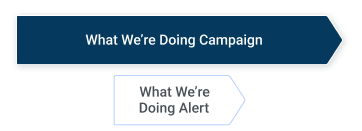
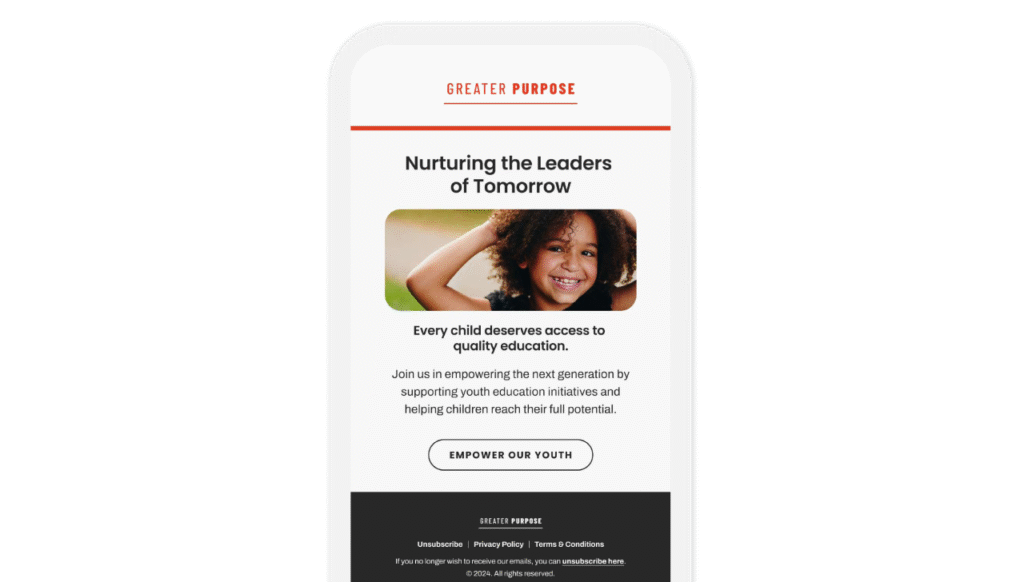
As you see in the diagram above, I think of awareness campaigns as ‘what we’re doing’ campaigns—ongoing communication to let subscribers know the work your organization is doing, complete with relevant examples and case studies.
And yes, you do see a ‘What We’re Doing Alert’ in the diagram. This is for those times when something happens that can’t wait for your regular send date, like when an officer of your organization is in the news (for good or bad reasons), or if there’s a macro event that your organization wants or needs to weigh in on.
You may never need an alert, but it’s a good idea to create a template for this just in case. Your ‘alert’ template should be just like your regular template, but add the word ‘alert’ or another ‘breaking news’ notation to both the inbox and header views.
Create campaigns, not one-off email messages
Awareness is an ongoing process; you’ll do yourself a favor if you think of this in terms of a long-term campaign with multiple email efforts, rather than a series of one-off email messages.
What’s the difference? A campaign has the following characteristics:
- A consistent notation in the ‘friendly from address,’ or the ‘subject line’
- A consistent design template for a consistent look and feel
- A regular send date, something like every other Tuesday, or the first Thursday of each month.
Let’s talk a little bit more about each of these.
Consistent notation
You want subscribers to be easily able to differentiate each campaign you send. This will allow them to identify, open, and read those of most interest to them. There are two ways to do this: in the ‘friendly from line,’ or in the ‘subject line.’
In the friendly from line, you might say something like “What’s New: .” If you’re using a person’s name in the friendly from line, like “Jane Hanrahan, ” then you’ll want to include your notation in the subject line or the preheader text.
In the subject line we will often put the notation in brackets at the front, like “[What’s New] .” I would advise you against keeping the subject line the same from send to send; we see better long-term engagement when the subject line features something unique from the email that is of interest to the recipient.

Consistent design template
Most template designs today are single-column, to easily accommodate readers on mobile devices. As such, a simple design template usually consists of a header and maybe a footer.
You’ll want to co-brand the header with your organization’s name or acronym (usually in the form of your logo) and then something, usually copy, that will differentiate this email campaign from others that you send. Be sure to make any copy that you want recipients to read rich text, rather than part of an image, so it will still be seen and readable even if images are blocked (yes, that’s still a thing).
You might further differentiate this campaign from others with color (a signature color in the header, either a background color or even just a thin strip above or below your header). You could also use an image or an icon in the header as a differentiator.
And don’t forget about the body of your email! You might use your signature color for your headlines, or as a background behind your headlines.
The goal here is to make these campaign emails look like they are part of your larger email program, but also differentiate them from the other campaigns you send.
Regular send date
It’s important to have a regular send date so these campaign emails don’t fall through the cracks. It’s also helpful for setting production schedules, and with a regular send date subscribers can become accustomed to looking for it.
You can certainly do this by setting a send date as the 15th (or 10th, or 22nd, etc.) of each month, but… I prefer to choose send dates like every other Thursday or the second Tuesday of each month. Tying your send date to a day of the week makes it easier to create production schedules (because the weekends are always in the same place in relation to your send date).
Optimizing your awareness campaigns
It’s not enough to just have an awareness campaign; you want to make sure it’s as effective as it can be. Here are a few ways to do that.
Customize the frequency
There’s no one-size-fits-all frequency for everyone on your list. Some subscribers might want to hear what you’re up to on a weekly basis, while for others quarterly is enough, and still others may fall somewhere in between.
As a result, you’ll want to tailor your frequency to the needs and desires of your subscribers. Here are a few ways to do that:
Ask and let people self-select
This is a great job for an email preference center! At sign-up, you can give people a frequency option (weekly, monthly, or quarterly updates on what the organization is doing)—or create an opt-down to allow people who return to unsubscribe the option to decrease their frequency instead.
Observe and adjust
Even if you run a campaign to motivate people to visit the preference center and select their frequency, there will be people who don’t respond. In this case, observe their behavior and adjust the frequency for them.
For instance, if you are sending a weekly message on awareness, analyze and segment your audience based on their interaction with the messages.
Let’s start with opens. Because of Apple’s Mail Privacy Protection (MPP), you can’t be sure that an open is a real person opening the email—it may be an MPP open. But… if an email is showing as not opened after some sends, then there’s a good chance that the recipient really did not open that email.
If you see that there’s a group of people who don’t open 3 of these emails every month (but do open at least 1), then you could decrease their frequency to monthly. Looking at their behavior is a clue that they want this information, just not as often as you send it.
If you see people who are not opening any of these emails over the course of a few months, then they’re a good candidate to be shifted to a quarterly update.
You can apply this same logic to people who seem to be leaving 2 of these sends unopened each month—and shift their frequency to every-other-week or what the British call ‘fortnightly.’
Now let’s circle back and talk about those opens… your platform may filter out MPP opens, which gives you a still imperfect but cleaner read on your subscriber’s behavior.
If you have a group of subscribers who appear to be opening all of these emails, you need to look to clicks to try to discern read opens from MPP opens. If you see that someone is not just opening but also clicking on more than 2 of these emails every month, then the weekly frequency is likely a good fit for them. But if you see opens but no clicks—that’s a place where shifting to a monthly frequency likely makes sense.
It’s important to do this analysis on a regular basis—at least once a year, no more than once a quarter—and rejigger the frequency as necessary (unless the person has updated their own frequency in the preference center, then leave them be).
Optimize the content
Awareness campaigns can be tricky—you don’t want it to come off as an ‘all about us’ email, even though it kind of is. The way to avoid this is to make others the hero of the content, even as you are talking about work your organization is doing.
For instance:
- It’s not about activities undertaken by your organization… you’re offering thanks to the reader for their support that allows you to undertake these activities
- It can be about recognizing individual donors/volunteers/supporters… but you want to write it in such a way that readers aspire to be like them
- It’s fine to recognize staff… but do it in a way that causes readers to want to support and work with them—and your organization
RECOGNIZING STAFF
One of the best examples that I’ve seen of this was in a small non-profit museum I visited last year.
One of the smaller exhibits was also one of the ones I enjoyed the most. It featured artwork of varying mediums done by their own staff and volunteers. Each piece was accompanied by a picture of the artist, a brief bio, and a story about the piece—how they created it, what the inspiration was, what it meant to them.
These amateur works weren’t as renowned as others in the building, but the stories were compelling and the different mediums—textiles, watercolor, etc.—together they were fascinating.
It was a great way for the museum to honor their staff and volunteers, and it made me feel even more compelled to support the museum—and the work these amateur artists were doing. Was it an email campaign? No. But this could easily be translated to an email environment.
Donations
Donation campaigns aim to drive donations for an organization; these can be monetary or in another form.
Many non-profit organizations have a revenue model dependent on monetary donations.
Once again, let’s start by looking at the subscriber’s journey:
Key subscriber journey: Donations

In this case, your subscriber will again be gathering information on your organization but your specific goal for this series is to motivate them to make a donation. You should have a basic email journey (or two!) to help them move through this process. You want to do this because people want to feel confident that the contribution they are making will be used in an effective manner.
Key subscriber journey: Donations

Basic email journeys

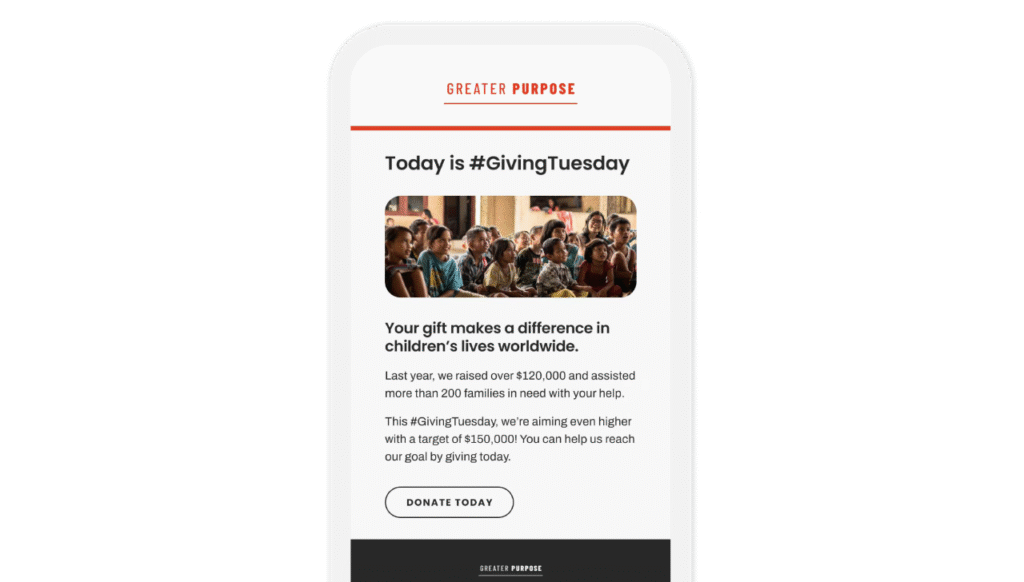
The awareness journey we referenced above was open-ended—no set milestone for action. This journey is different. Here we are looking to drive a donation with the ‘Please Donate’ campaign—and when this is accomplished a second journey which I call the ‘Thanks for Your Donation Email’ will be sent.
Also different from the awareness campaign—one or both of these journeys should be automated, meaning it is scheduled in advance. It’s a no-brainer to automate the thank you email; this should be triggered by a donation being made.
But we also recommend automating the ‘Please Donate’ campaign. As we discussed earlier in the ‘Awareness’ section, there are many benefits to thinking in terms of campaigns rather than one-off emails. You should produce the emails as a campaign, all at once, and when they are ready to go, you can schedule all the sends at the same time, with a cadence (read: time between sends) that makes sense for your organization.
Determining email frequency and cadence
Frequency and cadence are fancy words for two very simple questions that arise when you’re creating an email campaign
- How many emails are in a campaign?
- How much time is there between sends?
Let’s talk a little bit more about each of these.
Frequency
I like to let the content, specifically the number of key messages we’ve got, drive the frequency of a campaign.
Each email in a series should provide value and move the reader toward the goal. The best way to do this is to determine what your key messages are, count how many you have, and then use that to determine your email frequency.
In this case, the goal of the campaign is to drive donations and your key call-to-action in each email is to make a donation. But this isn’t the key message. The key messages are the reasons why your audience should donate.
There are many different ways to define key messages:
- If you have a variety of services, each could be a key message
- Maybe you have a short list of case studies highlighting your organization’s impact—you could use this list as your key messages
- Maybe you’ve got some influential donors willing to share their stories of why they support your organization—again, each could be a key message
One more note on frequency…
I like to ‘bookend’ my key messages with an initial email and a final email which briefly mention all the key messages, along with a call to action.
Have you ever heard the saying ‘Tell them what you’re going to tell them, then tell them, then tell them what you told them’? That’s why I bookend my campaigns. Your first email will usually get the most attention of the series; your last email is your last chance for action. By including, briefly, all the key messages, you’re ensuring that you’re making the full case for a donation in these key emails.
See the example at the end of this chapter for an example of developing key messages for a donation campaign.
Cadence
Cadence is all about the subscriber’s journey. Your cadence should match the usual timeline from information to donation, or if your campaign has a start and an end date it can span this period. Additionally, sometimes we use cadence to try to drive action faster than it would naturally occur.
For instance, maybe this particular campaign lasts 6 weeks; if you have 6 key messages, then cadence is easy, it’s one email a week.
Or maybe you find that the average time from a person signing up to receive emails from you and donating is 10 weeks. In this case, you might develop a donation campaign for new subscribers, to begin as soon as they sign up for email, and last 10 weeks. If it’s a 6-effort series, that would be 12 or 13 days between sends.
Determining cadence is both an art and a science. There’s no ‘easy button,’ no single right answer for how much time to schedule between sends. That said, you can use knowledge and logic to determine the best cadence for each campaign.

Optimizing your donations campaigns
Having a donation campaign, or multiple campaigns, that’s great; but are you sure you are driving as many contributions as you can? A few suggestions to try…
Version content based on donation history
Each of your email subscribers has a relationship with your organization; it’s important to recognize this when you’re asking for donations.
If someone has given in the past, they have a very different relationship with you than someone who has never donated. Someone who gives on a regular basis has a different relationship with you than someone who donated once six months ago. Someone who used to give but hasn’t contributed in over a year has yet another type of relationship with you.
By segmenting your audience by donation history and then targeting your content to the relationship they have with you, you’ll be more relevant to them and likely drive more donations than you would with a one-size-fits-all approach.
Optimize the content
The more you know about why people support your organization, the more you can tailor your donation campaigns.
For instance:
- Perhaps there’s a specific issue or sub-issue that resonates with a group of people in your audience
- Maybe it’s a geographic interest that drives your audience to give—if you can identify which locations are of most interest to each subscriber, you can leverage this in your campaigns
- Or maybe there’s something else you can discern from your preference center, or even your link clicks, that tells you what issues are of most interest to different people in your audience
TAILORING CONTENT FOR DONATIONS
One of my non-profit clients has a global reach—they do work on a broad range of education issues in locations around the globe.
But what we find is that their subscribers are often focused on a specific education issue (equity and inclusion in education, education financing, education in crisis situations, etc.) or on a specific geographic area (North America, South Asia, Sub-Saharan Africa, etc.).
We added options in the email preference center to capture these interests—it allows us to send more relevant content in our donation and other email campaigns

Events
Event campaigns aim to drive recipients to register for and/or attend an online or offline event.
In some cases there may be a cost to attend, in other cases, the event may be free. Some non-profits rely on income from events.
Let’s start by looking at a simple key subscriber journey for an event:
Key subscriber
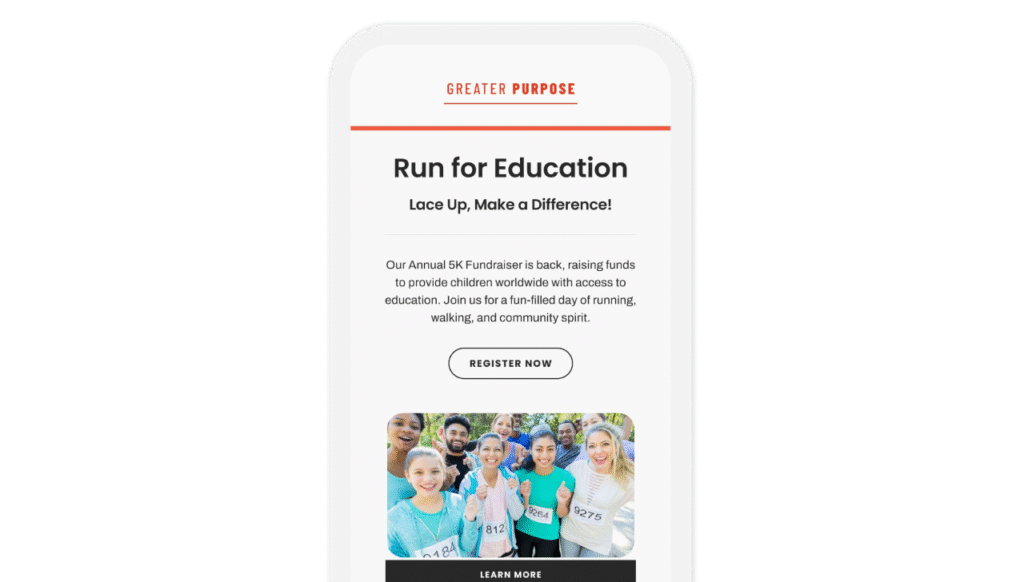
Your subscriber will need to learn about the event and be motivated to then register to attend. Once they are registered, we hope they will attend.
Key milestones in the journey are:
- Registering for the event
- Attending the event
Since this is a multi-step process, we have created multiple email journeys to move the subscriber through the process.
Key subscriber
Basic
As you see in the diagram above, there are journeys related to each of the milestones:
- Registering for the event
- Register for Event Email Series
- Thanks for Registering Email
- Attending the event
- Event Reminder Email
- Event Follow-up Email
The messaging at each step will be a little different, depending on the milestone and the goals for that milestone
MULTIPLE EMAIL JOURNEYS VERSUS ONE BIG EMAIL JOURNEY
Why, you may ask, are we breaking this into multiple journeys when we could create a single, large journey, with logic based on behavior and different paths?
You’re right, we could do this. But why? While a single large journey would look more impressive, it won’t necessarily do the job any better. And, if there are ever issues, it would likely be more difficult to troubleshoot.
Also, when you build journeys, it’s best to build one segment at a time. Then you can launch them as they are complete.
And creating separate journeys makes it easier to track and report on each phase of the large journey.
KISS definitely applies when you’re looking at email journeys—keep it simple and straightforward.
Optimizing your events program
It’s not enough to just have an email marketing program for events; you want to make sure it’s as effective as it can be.
Here are a few ways to do that.
Add a tell-a-friend component
If your subscriber is interested in your event, chances are they know others who may be interested as well. Ask them to help you get the message out by encouraging them to invite a friend or colleague (whichever is more appropriate language for your situation) once they themselves have registered.
Not only can this help drive more people to your events, it’s a good way to grow your email list with additional qualified subscribers. Just be sure to include an email opt-in in your registration process.
We used to have fancy ‘tell-a-friend’ systems that we’d build for things like this—where a subscriber would direct their friends to an online form which would not only let them register but also track this as a referral and match it back to the subscriber who referred them. But truthfully, that was a lot of time and effort for very little benefit.
It’s a lot easier just to include a link to register and a brief blurb about the benefits of the webinar in the ‘thanks for registering’ and ‘reminder’ emails you send, along with a note about forwarding the message to friends who may want to join them. Another nice touch—on all your registration forms include a dropdown for people to tell you how they heard about the event. Be sure that ‘invited by a friend/colleague’ is one of the options.
Optimize the content
Content for event campaigns can seem simple—invite them to the event, thank them for registering, remind them about the event, thank them for attending. But the best campaigns go beyond these simple messages. We’ve already talked about adding a ‘tell-a-friend’ message to post-registration emails. Now let’s focus on optimizing the ‘Event Follow-up’ email.
In many instances, this final message is a bit of a dead end—thanks for registering, hope you enjoyed the event, you can view the event on-demand if you missed it (if it’s an online event). That’s all fine.
But what if you could use this final email to deepen the subscriber’s relationship with your organization? And to help the subscriber gain even more insight into the topic or goal of the event?
For instance:
- Does your organization have additional resources, like eBooks or videos, on the topic? Why not provide links to them?
- If your organization has an email newsletter or alert focused on the event topic, provide a way for the subscriber to sign up.
- Is there a donation or volunteer opportunity related to the topic of the event? This is the perfect place to ask the subscriber to get more involved with a donation or time.
Does your organization have additional resources, like eBooks or videos, on the topic? Why not provide links to them? • If your organization has an email newsletter or alert focused on the event topic, provide a way for the subscriber to sign up. • Is there a donation or volunteer opportunity related to the topic of the event? This is the perfect place to ask the subscriber to get more involved with a donation or time.
WEBINAR REGISTRATIONS
One of my clients, a non-profit industry association, runs monthly webinars on industry topics as well as an annual conference for industry professionals.
We’ve always sent an event follow-up email a few days after each webinar, which includes a link to view the event on demand. Attendance rates are usually in the 50% to 60% range, so those who were not able to attend are eager to get this email and the link to watch the webinar on-demand. Often those who did attend will share the email with others on their team who did not register, so they can watch it. As a result, this email has higher-than-average open and click-through rates.
A few months ago we revised the webinar production schedule to have the registration page for the coming month’s webinar live on or before the current month’s webinar. This allowed us to add a link to register for the upcoming webinar in the event follow-up email. Even when the topics are very different, we see a high percentage of those who receive this email clicking on this link and continuing to register for the upcoming webinar.
Recently we took this one step further. We began adding information about sessions and workshops related to the webinar topic that would be taking place during our annual conference, along with a link to register. The webinars are free; the conference is a paid in-person event. Once again, we are seeing a good bit of interest, defined by clicks on the link, in these upcoming in-person learning opportunities, with a decent conversion rate to paid registration.

Membership
Membership campaigns aim to drive people to join an organization or renew their membership in an organization.
Many non-profit organizations have a revenue model dependent on income from memberships.
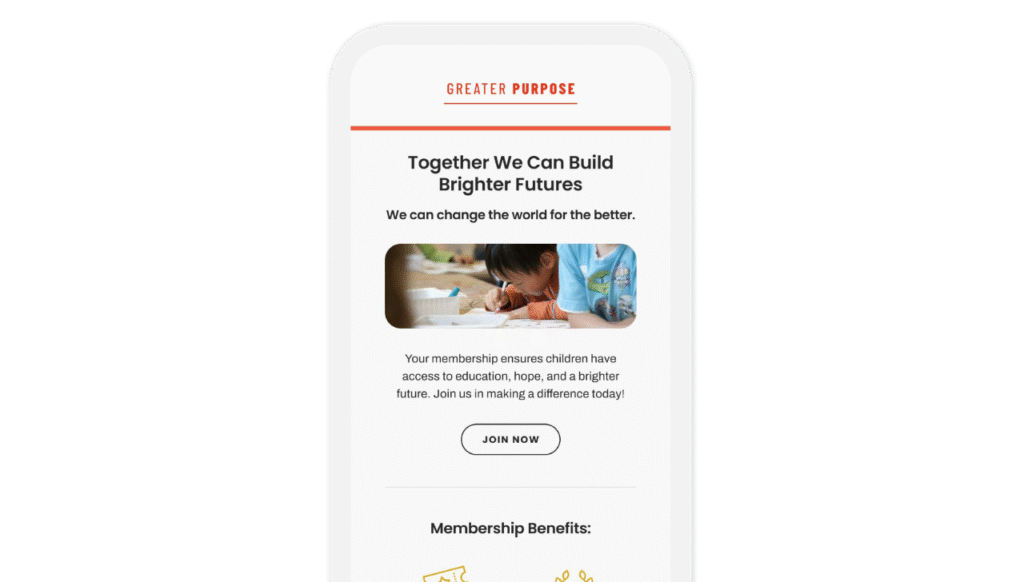
Let’s look at a simple renewal journey:
Key subscriber journey: Renewals

A renewal series is different from many of the other campaigns we’ll talk about here. Because renewing your membership in an organization is all about the experience you’ve had as a member of that organization.
Key subscriber journey: Renewals

Basic email journeys

Still, you need to send a campaign (or a couple of campaigns) to get the renewal; then you’ll want to thank the member for renewing.
Let’s briefly talk about the thank you email. This is the perfect place to ask if they know anyone else who would enjoy being a part of your organization. This is a very similar recommendation to the one we made in the section on the events journey—if you review the ‘tell-afriend’ suggestions made there, you can apply them here.
Now let’s do a deep dive into optimizing the content of your renewal series. We said that renewal is usually highly dependent on the recipient’s experience as a member. So the key to a successful renewal series is to remind the member of the benefits they received as a member.
You can certainly do this in a generic manner, stealing liberally from your membership series. And this will usually work fine. But you can up your game by using dynamic content to present ‘year in review’ highlights specific to each member… things like:
- Email newsletter items they clicked on and read
- Events and webinars they attended
- Committee they participated on
- Services they used (job listings, etc.)
- And other benefits of membership that they have taken advantage of
The power of dynamic content
In email marketing, we talk a lot about segmentation, targeting, and relevance—and dynamic content is your key to leveraging these three keys to success.
Just about every email platform out there allows you to use dynamic content to customize email messages—but many email marketers don’t know how to use it. I know you’re busy, but learning how to use dynamic content isn’t difficult and it will up your email game.
Some tips for taking advantage of dynamic content…
Default values
Many email marketers shy away from using dynamic content because they don’t have data for 100% of the people on their email list. But there’s an easy way to address this with a default value, sometimes called a ‘slug’ value.
A default value is a piece of content that will appear if the subscriber doesn’t have another value for the content referenced. For instance, let’s say you want to say “Dear ,” but there are people on your email list for whom you don’t have a first name. You could make the default value something like ‘friend of ’ or ‘volunteer’ or ‘donor’ or anything that fits, and this would be used when the subscriber doesn’t have a first name in their record.
Less can be more
It can be tempting to go all-in on dynamic content—but don’t. A few well-placed, relevant pieces of dynamic content can go a long way. But when you are constantly customizing every email you send with all of the content you can—it’s overkill. So determine where you’ll get the most benefit from dynamic content in each specific message—and keep it at that.
Increased performance
Conventional wisdom is that customizing or personalizing content will boost bottom-line performance. In reality, sometimes it does, and sometimes it doesn’t. Be sure that you are getting a lift in performance (conversions or revenue, not just opens or clicks) before you start using dynamic content at scale.
Optimizing your membership campaigns
We talked above about how experiences and benefits of membership drive renewals. This is true, and there’s another way to leverage them to drive memberships and renewals: it has to do with timing.
Blanket renewals
Blanket renewal is a term used for sending a renewal appeal to everyone on your list, regardless of when their membership expires.
Sounds a bit odd, right? Why would someone whose membership isn’t up for renewal for 10 months send you a renewal payment today? Because they’ve just received a tremendous amount of value from their membership—and because you’re offering them a discount or a premium.
If your organization has an annual conference or big fundraiser, sending a blanket renewal within 10 days after the event can be very successful. For those who attended, there’s a ‘honeymoon period’ after which they are fully aware of the value of membership. Leverage this into a renewal for another year by offering a discounted renewal to lock in your membership now for an additional year.
You can also send these blanket renewals without a big event. But you usually have to make it a ‘best offer you’ll see’ this year or before your membership expires.
Remember that there’s a time value to money—and that there’s value in having members on your database whose membership is locked in for a year or two or more into the future.
BLANKET RENEWALS
I worked with a non-profit that served professionals in a niche industry. They hosted free webinars on a regular basis; both members and non-members were welcome to register and join.
After each webinar, we identified those who had opted in to receive email and then segmented them by their membership status: current member, past member (within the last 3 years), and non-member.
We had standard content for each of the three groups—we’d add a little bit of detail about the latest webinar and the value provided, then send them.
It wasn’t a heavy lift, and we were always rewarded for our efforts with new memberships and early renewals. This is a simple way to generate membership and renewal revenue throughout the year when people are clearly aware of the benefits of membership.

Partnerships
Partnership campaigns aim to sell products or services to a non-profit’s subscriber base.
Usually, the non-profit receives some type of payment in return for sending a partnership campaign. Some organizations rely on income from partnership agreements to fund their operations.
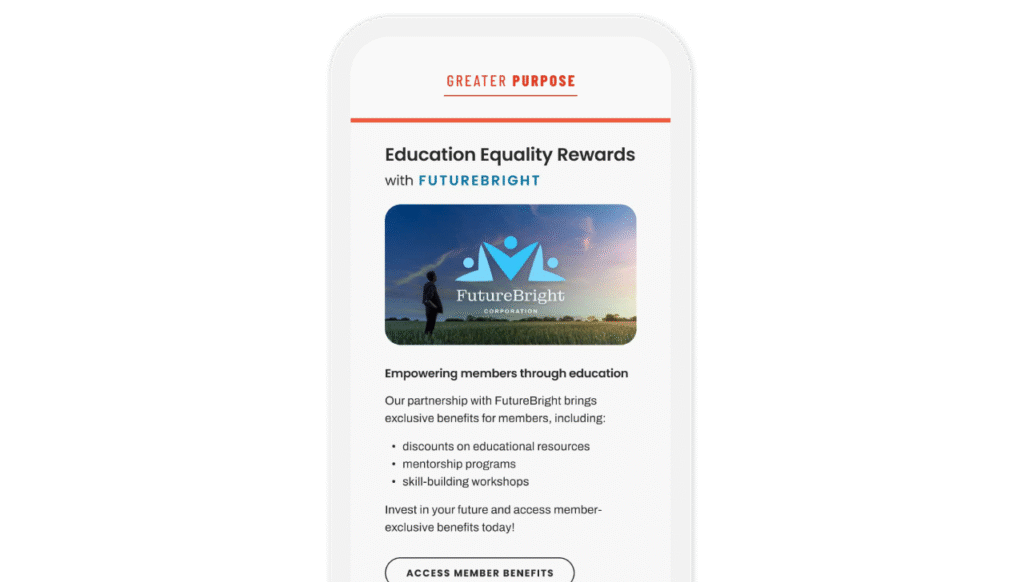
Let’s look at a simple subscriber journey with partnership emails.
Key subscriber journey: Partnership

Partnership emails are a bit ancillary—your subscriber is just there, living their life, maybe they are a member of your organization or maybe they’re not, and these offers from other companies arrive in their inbox.
Many non-profits rely on revenue from these partnership deals to fund their operations. In some cases it’s a flat rate for an email (or a series of emails) to the list; in other cases, the organization shares a portion of the revenue generated by the offer. There are also cases where the non-profit partner earns revenue both ways.
Key subscriber journey: Partnership

Basic

Typically there are slots in the email send calendar for these partnership emails to be deployed. No matter what the revenue agreement is, it’s in your organization’s best interest for these email messages to generate business for the partner. Otherwise, they may not continue to partner with you.
While many partnership deals center on the send quantity, or the number of recipients reached, it’s much better to focus on quality, and just send these messages to those with a high likelihood of converting. This should help minimize your unsubscribes and spam complaints (both of which tend to rise above normal levels on partnership sends).
How do you find those most likely to convert? There are a few ways:
- Ask your partner to provide details on their target audience—then identify the subset of your database that fits this persona
- Look at past subscriber clicks for interest signals—the idea being that if they’ve clicked on a link in your newsletter in the last year to learn more about earning an advanced degree, that offer from the local university may be of interest.
- You can also proactively ask members what their interests are in an email preference center, and then match partnership offers to those interested that way
Tips for creating an effective email schedule
Most non-profits are sending a lot of emails from many different groups within their organization. You might have membership, events, advocacy, and other groups vying for a piece of your subscribers’ inboxes.
It’s important to have someone managing the schedule to avoid bombarding your email subscribers, effectively damaging your relationship with them, and removing any hope of them continuing to open emails from anyone in your organization.
Here are a few tips to help:
Keep a calendar
Every organization should have an email calendar that looks at least 3 months into the future.
To start, plug in the send dates for any ongoing campaigns, like newsletters, that are sent on a regular basis.
Next look for big events that drive up email volume—things like an annual conference or gala, founders day, or anything else that your organization builds an email campaign to support.
Now, look to last year. See what else you sent last year, which you expect to send this year, that’s not yet on your calendar and add it.
Have standard production schedules
Just as you need a calendar, you need to have standard production schedules. These aren’t difficult to create. Just determine how many hours or days you typically need to get an email out the door. Consider all of the tasks your team may have to undertake, including strategy, planning, copywriting, design, coding, testing, landing page creation, etc.
I like to start with a ‘we do it all’ schedule and then modify it based on what you actually need for each client.
For instance, if one of your stakeholders sends you final copy, you can remove copywriting from your task schedule. Circulate these schedules to stakeholders so they know how far in advance you need materials to make their sends happen.
Limit last-minute sends
Many email marketers in non-profit organizations are constantly dealing with last-minute sends—just say no. Talk to your management team about the toll these last-minute sends take on your team, in terms of productivity, efficiency, and morale. Get them on board to support you.
Then look at which departments or groups in your organization are serial last-minute senders. Include specific send dates for them to your schedule. Let the stakeholder know what their designated send dates are for the next 3 months, as well as when you need the materials to make the send happen. Then stick to your guns.
Optimizing your partnership campaigns
Partnership campaigns can be as easy as your partner sends you the HTML and you send it. But they’re often more effective if there’s a connection to your organization. Here are a few ways to get that.
Make it an introduction
Rather than just sending the HTML as provided, add a note at the top, with your organization’s logo, introducing your email subscribers to your partner. This can often motivate recipients to take the time to read the offer; it sets it apart from cold emails they receive.
Exclusive offers
Ask your partner to offer your email subscribers something special that they don’t offer to other groups. It could be a discount, a bonus, or something else. Be sure it’s labeled as an exclusive offer, preferably with your logo next to it, in the body of the email, and that it’s mentioned in either the subject line or the preheader text of the message.
Testimonials from your subscribers
Do you have email subscribers who have taken advantage of offers from this partner in the past? If so, a testimonial from them in the email, with a note that they are a part of your audience, adds credibility and may entice your email subscribers to take a closer look.
Editorial content from your organization
If you’ve written about issues related to the partner’s products or services on your blog or in a magazine, pairing that with the offer could be a good way to entice your email subscribers to investigate it further.
OFFER + TIP + QUOTE = SUCCESS
A few years ago I put together a winter holiday campaign for a non-profit client, to drive their membership to take advantage of offers from partners.
All of the partners were consumer brands; we developed a content strategy with 3 related elements in each email message:
- The partner’s offer, which drove the topic of the other elements
- A funny quotation, to provide a smile when the recipient opened the email
- A tip to make the holidays less stressful, to provide value without a purchase
For instance, one of our partners was a clothing brand. We paired their offer with a funny quote from Mark Twain (“Clothes make the man. Naked people have little or no influence in society.”) and a tip for updating holiday outfits you already own with a new scarf, shawl, or jewelry rather than buying a new ensemble.

Relationships
Relationship campaigns aim to build relationships with subscribers.
They usually involve providing value in the form of content to help subscribers do their jobs better or enjoy their hobbies or free time more. Relationship campaigns are often used as a foundation for or companion to campaigns that drive donations, volunteers, etc.
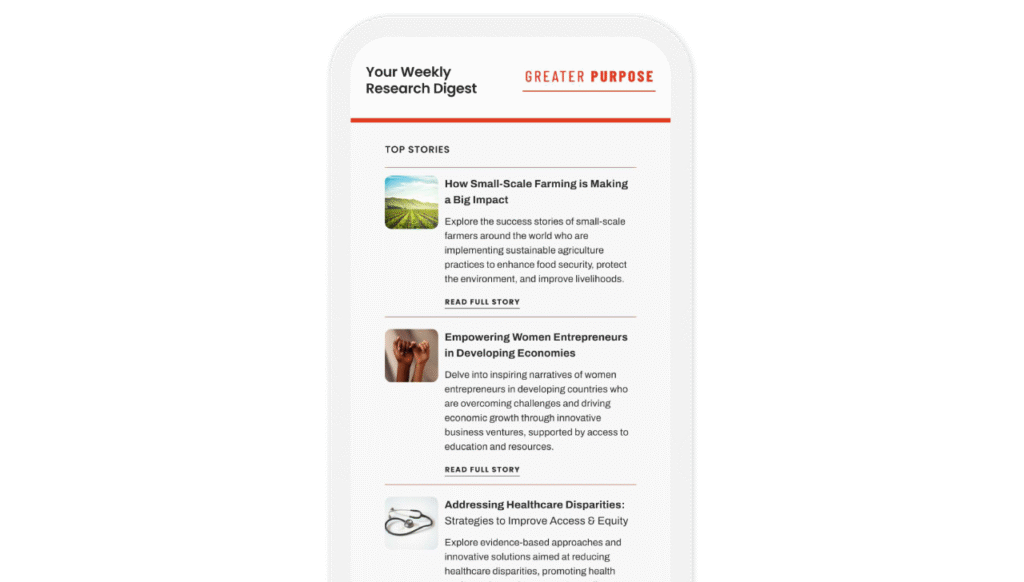
Let’s look at a simple relationship journey:
Key subscriber journey: Relationship

The email relationship begins when the subscriber opts in to receive email from your organization. As with all relationships, there is a ‘honeymoon’ period when they want to learn more about you. If you miss this window, it will be difficult to build the relationship you want with the subscriber.
Key subscriber journey: Relationship

Basic

The welcome email is the traditional start of the email relationship. Timing is essential here. You want to make sure it’s sent right away. You don’t want to hold these and send them out at a later time or day, as a batch send. When sent immediately, welcome messages have open and click-through rates much higher than other email messages.
Subscribers who have opted-in and are new to your email list tend to perform better than subscribers who have been with you for a while. In fact, some studies have shown that they click at more than twice the rate of older subscribers. But this is only true if you start off strong with your welcome message.
Grow your email list, boost your performance
For most non-profit organizations, your website is ground zero for email list growth. But you have to follow best practices to optimize growth. Here are some tips.
Location matters
There’s been a trend lately to put your email opt-in in the footer of your website. I’ve had web designers tell me it’s a ‘best practice.’ Okay. But it’s not a best practice if you actually want web visitors to use it to opt-in to your email list.
If getting opt-ins is your goal (and it should be), the email sign-up needs to be above the fold, so you can see it without scrolling, and on every page of your site. Studies have found that this increases your opt-in rate significantly.
Track and report on your website opt-in rate
You’ll want to look not just at how many new email subscribers you are adding to your list each month—you’ll want to look at the source of those names. When I analyze opt-ins from a non-profit organization’s website, I am looking at the rate of conversion, defined as new email subscribers from the website opt-in divided by the number of new (not returning) website visitors.
When I begin working with organizations, we typically see rates of less than 1%. But with some inexpensive optimization, we can grow that to anywhere from 2% to 5% or more. Calculate your current conversion rate, then work to optimize and improve it.
What’s in it for the subscriber
Be sure there’s benefit-oriented copy in your website opt-in. No one needs another email in their inbox, but people visiting your site may be eager to receive the information you’re sending. Tell them how the content you email to them will benefit them—then watch your opt-in rate climb.
Optimizing your relationship campaigns
It’s good to have a welcome email to begin the relationship with your email subscribers. But it’s better to have a series of emails they receive upon opt-in, which introduce them to your organization and give them a reason to open your emails. We mentioned that welcome messages tend to have much higher open and click-through rates than other messages.
Sending a series of emails with valuable content at the beginning of your email relationship helps create a habit with your subscribers. If they find value in the welcome series you send, they are likely to continue to open and read your email messages.
Here are some tips for that welcome series.
Focus on the benefit of an email relationship
What are the benefits of being on your email list? How will the content you send help the subscriber—or help the subscriber meet some of their personal goals or assist some of their personal causes? This should be a longer, more detailed version of the benefit-oriented copy on your website opt-in.
It’s okay to include some asks
While these relationship emails aren’t goaled to drive donations, motivate volunteers, convince people to join, or anything else, it’s okay to include an ask as a secondary call-to-action. You want to lead the benefits to the subscriber—but if they are ready to take a higher commitment action, give them a way.
Watch your unsubscribe rates
Successful welcome series have low unsubscribe rates. If people are opting out of your welcome series at a rate of 0.5% or more, that suggests there’s a disconnect between what you promised in the opt-in and what you’re delivering in the welcome series. Pause it, put a simple single welcome message back in place, and do a deep dive analysis to understand what’s turning people off so quickly.
ELIMINATE STATIC
What do your subscribers experience in the first week or ten days after they opt-in to receive email from you?
One non-profit client I worked with had a pretty well-thought-out welcome series; over the course of about 2 weeks they introduced you to the benefits of being part of their email list and part of their community. It was lovely.
But at the same time I was receiving this series for new subscribers, I was bombarded with a variety of email messages from them—some on advocacy and political action, others from their online store selling branded merchandise, membership appeals, deals from their partners. Their welcome series got lost in the mix.

Volunteers
Volunteer campaigns aim to motivate subscribers to sign up and/or volunteer. Many non-profits rely on volunteers to meet their missions.
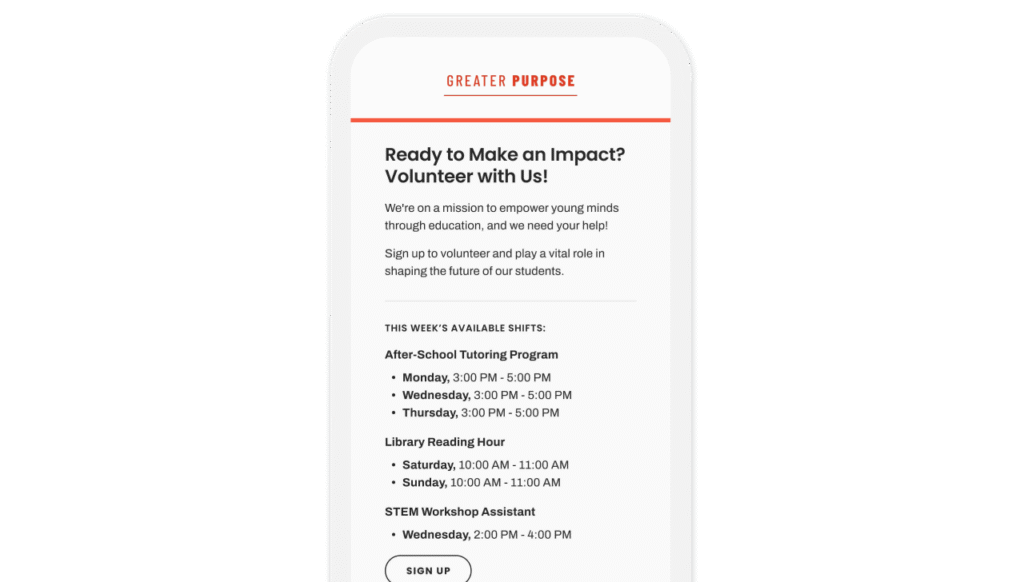
A simple volunteer subscriber journey appears below:
Key subscriber

Asking people to volunteer their time and talent is similar to asking for donations. They will want to learn more about your organization as well as details on the volunteer opportunities.
This journey also has some similarities to the event journey, as there are multiple milestones:
- Signing up to volunteer
- Volunteering
- And in most cases, you’d like them to volunteer on an ongoing basis
Since this is a multi-step process, we have to create multiple email journeys to move the subscriber through the process.
Key subscriber

Basic

While these share some similarities with the donate journeys, the content is much different. You’re asking for a higher level of commitment than just pulling out a credit card. You really have to make the case and address questions that might keep them from signing up.
As with the event emails, there’s an opportunity here to have them invite a friend to join them. In this case, the recommendation is to begin with this messaging in the request for volunteer series, rather than waiting until after the sign-up. Being able to sign up to volunteer with a friend adds a social aspect to it.
Tips for motivating people to volunteer
For many non-profit organizations, you need volunteers to meet your mission, and email is the best way to communicate with them. Here are some tips.
Anticipate and address questions
People who haven’t volunteered before want to understand what they are committing to. Be as clear as possible about the expectations for volunteers. This includes:
- Start and end times (if applicable)
- Location with street address and how they are to enter the building (if applicable)
- Notes on transportation. Is there parking? What does it cost? Is there a public transportation option? Which stop should they get off at?
- Information on how they should dress and what, if anything, they need to bring
- Brief description of tasks they’ll be asked to assist with
- Is there a plan B for inclement weather or other unforeseen circumstances?
- Anything else they need to know
Send detailed reminder emails
It’s really a bummer to sign up and volunteer your time—and then to get an email the day before reminding you that you signed up but without information on time commitment, location, dress, etc.
Don’t make your volunteers search their inbox for the first email with all the details. If you don’t want to include all this information in the reminder, have a link to a web page with the details. The easier you make it to volunteer, the more likely it is that your volunteers will give you an ongoing commitment.
Report back on progress
When people volunteer with your organization they are participating in something larger than themselves. Consider them now stakeholders. Keep them apprised of the work your organization is doing. And remember to thank them—often.
Optimizing your volunteer campaigns
A volunteer campaign is about more than just asking people to volunteer. Here are some tips.
Testimonials mean a lot
Whenever possible, let someone who isn’t being paid by your organization talk about the work it is doing and ask people to volunteer. These voices could be from current volunteers and/ or those you help (if applicable). Even better if those voices are from people who are local public officials, celebrities, influencers, athletes, or other widely known and admired entities.
Having someone else describe the work you’re doing and why they volunteer means a lot more than you making the case for people to volunteer. It’s authentic, it’s compelling, it’s powerful. I often build entire campaigns around quotes from volunteers or those receiving services.
Statistics help make the case
Numbers can help you make the case for volunteering. Talk about the issues you’re addressing—how prevalent they are. Then talk about the impact your volunteers have on the problem—once again in numeric terms. Even better: charts and graphs.
It’s a never-ending campaign
Some non-profits have a waitlist of people wanting to volunteer; most do not. This means that your volunteer campaign will be ongoing. Keep it fresh. With many clients, we actually have two or three volunteer campaigns that we rotate through over the course of two or three months. We update the campaigns annually, but not all at the same time. This helps keep the messaging fresh and supplies a steady stream of new volunteers.
IMAGERY CAN MAKE OR BREAK A VOLUNTEER CAMPAIGN
I had a non-profit client years ago that used stock imagery in their emails asking people to volunteer. Their reasoning? They wanted the people they were helping to maintain their anonymity, so no photography was allowed at volunteer events.
But the stock imagery they were using was inauthentic and not motivating.
After discussions, we came up with a compromise. We took pictures of the volunteers at events, carefully cropping clients out of the frame, or blurring them so they were not recognizable. Even though you could not make out the people they were helping, you could see the volunteers having fun and taking pride in the work they were doing.
Using these authentic photographs of real volunteers (all agreed to have their likenesses included in the emails) upped not just the look of the emails, but the engagement and conversion rates.

About the author
Jeanne Jennings is a recognized expert in email marketing and a sought-after consultant, speaker, trainer, and author specializing in email marketing strategy, tactics, creative direction, and optimization. She helps organizations make their email marketing programs more effective and more profitable.
Jeanne is the Founder and CEO of Email Optimization Shop, a consultancy focused on optimizing bottom-line email marketing performance with strategic testing. She is also General Manager of the Only Influencers community of email industry professionals, Chair of the Email Innovations World conference, and an Adjunct Professor in the Master of Integrated Marketing program at the Georgetown University School of Continuing Studies. Her direct response approach has helped B2B, B2C, government, non-profit and other clients including AARP, Capital One, Hasbro, National Education Association, New York Times, Scholastic, UPS, U.S. General Services Administration, Verizon, and the World Bank. Jeanne earned her MBA from Georgetown University (Hoya Saxa!), and she is an avid hockey fan (Let’s Go Caps!). To learn more, read Jeanne’s blog and opt-in to the Email Optimization Shop email newsletter at https://emailopshop.com/.
