

|
|
About the AuthorJeanne Jennings is a recognized expert in email marketing and a sought-after consultant, speaker, trainer, and author specializing in email marketing strategy, tactics, creative direction, and optimization. She helps organizations make their email marketing programs more effective and more profitable.
|
Key email journeys in the higher ed funnel
While not all institutions of higher education are the same, there is a set of key email marketing journeys they all need.These journeys mirror the higher ed funnel at right; the goal is to move potential students through the funnel in a timely manner. Begin at the bottom of the funnel and work up, as an increase in performance here has the greatest immediate impact.
This guide will give you the information you need to optimize these journeys to boost performance.
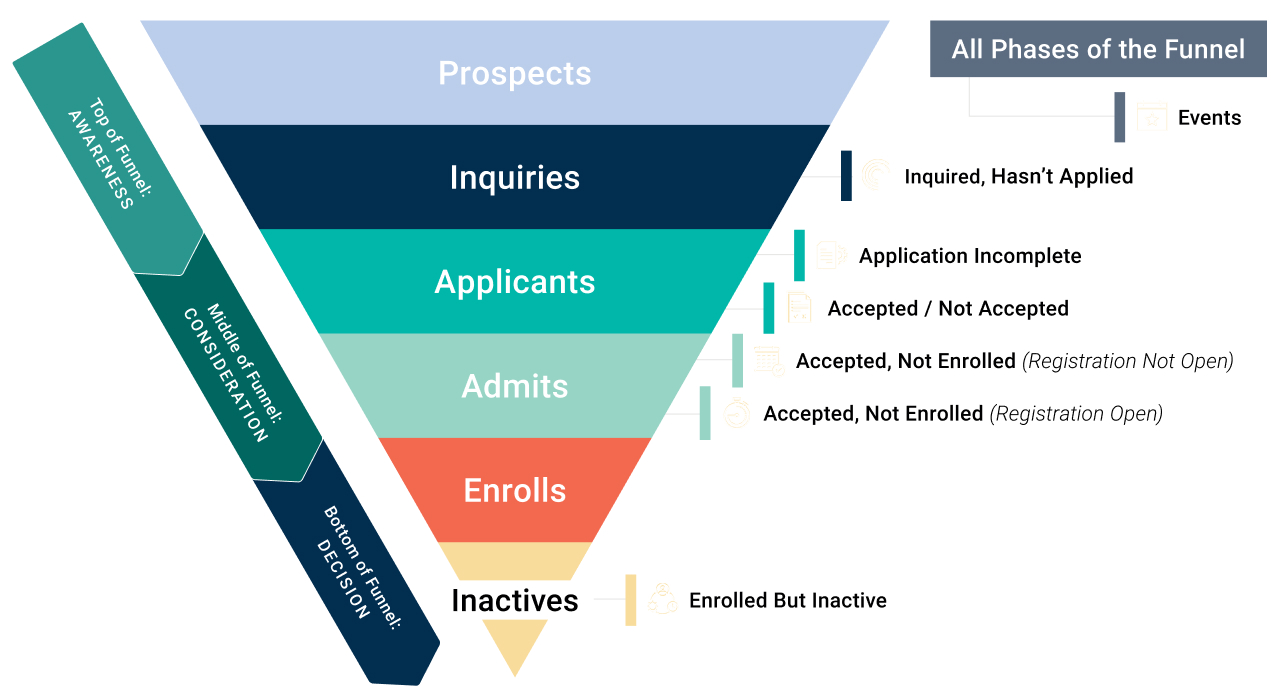
Bottom of funnel
Enrolled but inactive
Every school has students who started their degree and then took a break. An “enrolled but inactive” campaign entices them to return to the classroom—and to return to paying tuition. These campaigns are more effective with recently active students, so make this an annual or twice-a-year automated journey.
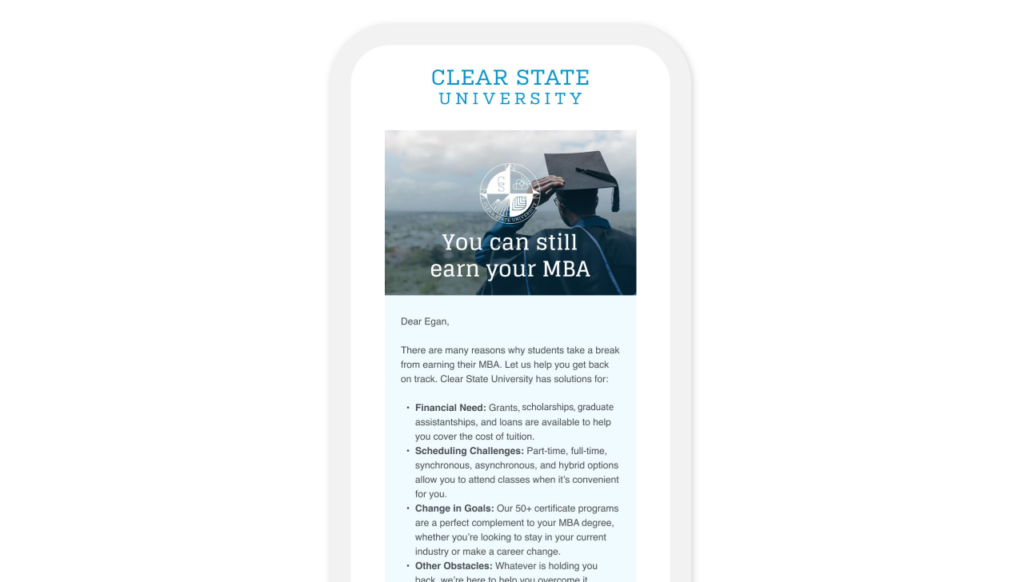
Your student was enrolled and attending classes at some point—but now they aren’t. This wouldn’t be an issue if they had graduated or completed the program, but they haven’t. You’ll need a basic email journey to re-engage with these lapsed or inactive students.
These lapsed students are often the easiest to motivate to enroll, but don’t delay. The longer you wait to reach out to a lapsed student, the lower your conversion rate back to active will be.
Key subscriber journey: Enrolled but inactive

Basic email journeys

You want this to be an automated journey—one that will automatically identify lapsed students and motivate them to enroll for the upcoming semester. Consider having these trigger upon registration opening.
Why is this separate from the “Accepted, not Enrolled (Registration Open)” series? Because you want to treat this segment differently. There’s a reason they walked away from classes, and you need to address those reasons to get them back.
Remember, it’s usually less expensive to get a lapsed student to re-enroll than it is to find a new student to apply and sign up for classes.

Customize with first-party data
The beauty of communicating with this group is that you have a base level of information about them. Things like:
- Their area of study or major
- Semester/courses needed to graduate
- Their GPA
- How long it’s been since they were enrolled
You’ll want to look at the information you have on this segment and use what’s relevant in your email campaign to get them back. This is especially important since they have a stronger relationship with your school than someone who’s never been enrolled.
Include obstacles and resources to overcome them
You’ll want to include common obstacles as well as resources available to help the former student overcome them. Things like:
- Financial issues and financial aid options
- Location issues and online/offline course options
- Difficult schedule issues and asynchronous, night, weekend class options
In every email, it’s also important to offer contact information to speak with an advisor or someone else who can listen to the obstacles the student is facing and help guide them to solutions.
Create an ongoing campaign
This isn’t a one-and-done email marketing program—you’ll want to update the list of those who qualify to receive it and run this campaign during each registration period.
Keep in mind that newer lapsed students still perform better than those who have been out of school longer. But you never know when things might turn around and your lapsed student will be ready for the classroom again. Be sure that you’re proactively reaching out during each registration period, and that you’re eager to welcome them back to class.
Tip: Copy is king, but images are queen
This guide talks a lot about strategy and content in terms of the written word, but images matter too. There’s been a movement in the past few years to use more authentic images in email and other marketing efforts.
Whether you’re updating an existing series or creating a new one, remember that you don’t have to be limited by traditional stock photography. Much warmer and more authentic? Images from your school’s photo database. Buildings, yes. But even better are pictures with people in them. Students and teachers in class. Underclassmen enjoying themselves on campus on a warm spring day. Seniors celebrating graduation. You’ll need releases, but the authenticity will make your email messages more engaging.
If you can’t use images of actual students, look for relevant images on Unsplash.com or another of the new, more authentic photo sites. Most offer free or affordable licenses to use their images.
Middle of funnel
Accepted, not enrolled (registration is open)
Summer melt is a thing: students are accepted, but they never enroll. A solid “accepted, not enrolled (registration open)” campaign can minimize your summer melt. When should it start? As soon as you let them know you’d love to welcome them to campus.
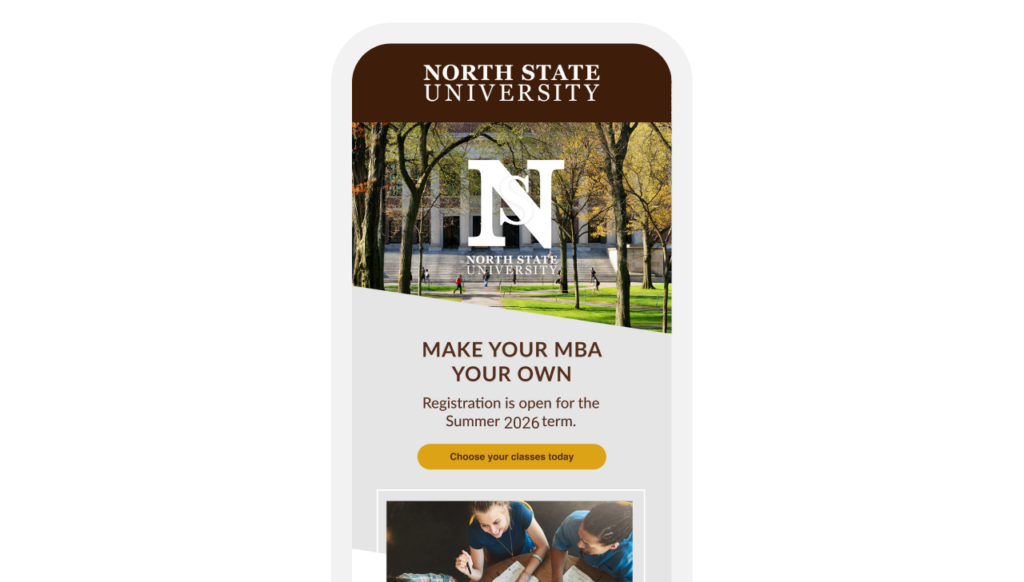
Now’s the time! They’ve been accepted, but in order to meet their goals—and your goals—they need to enroll.
Key subscriber journey: Accepted, not enrolled (registration open)

Basic email journeys

You want this to be an automated journey—one that will automatically identify eligible students who haven’t been enrolled before and motivate them to sign up for classes for the upcoming semester.
This series is pretty straightforward; registration is open and the call-to-action is to enroll. But you’ll need to say more than “enroll today” call to action to make it successful.
Think about timing, frequency, and cadence
You want to be in the inbox throughout the registration period, and perhaps even before if there’s research they can do. At a minimum that includes:
- A “get ready” email so they can review the courses available and determine which ones they want to add to their schedule
- A “registration is open” email, so they can grab classes that fill up quickly
- A “last chance” email so they don’t miss registration altogether
- Multiple reminders throughout the enrollment period, since not every student will open every email you send
Here, it’s better to have too many efforts than too few efforts—especially if you’re able to suppress those who have enrolled from the rest of the series.
Use strategic resends to expand your reach
Strategic resends provide a gentle nudge to those who started the enrollment process but then left without completing it. Here’s how you do it:
- Identify email recipients who clicked through to register but did not complete the process
- Resend the original email (no changes) to this group, 7 to 10 days after the initial send
Case studies have shown that resends to this group result in much higher conversions (i.e., enrollments) than resends to those who did not open or did not click on the initial email. When you do resends to this ‘clicked didn’t convert’ group, you rarely see unsubscribes or spam complaints (which are common when you resend to groups who showed less interest in the initial email).
Be proactive with inactive subscribers
Most schools have a limited period of time during which students can register for the coming semester. Be sure that your students don’t miss it. Watch for subscribers who aren’t engaging with your email messages on a regular basis and reach out quickly (within 10 to 14 days) to get the email relationship back on track.
This could include one or more of the following:
- A benefit-oriented reactivation campaign, triggered automatically when a certain number of messages aren’t engaged with
- Contact via another channel, like SMS or phone
Be sure to use a click as your engagement signal. Opens are no longer a good engagement signal, thanks to Apple Mail Privacy Protection bot clicks.
Tip: Use AI as a research tool
Using AI as a research tool helps you understand the obstacles and/or objections that are relevant at each stage of the higher ed funnel. Could you do some research and create a list of 10 reasons why students who are accepted to a school don’t enroll? Sure. Could you complete that research in less than a minute? No.
Once you have this list, you can review and tweak it if needed. Then use it to build your message map. Even if you’re confident you have a good list, it’s not a bad idea to ask the AI for a list and compare them. You might be able to enhance your original list and make it stronger, with just a little bit of time and AI.
Middle of funnel
Accepted, not enrolled (registration is not open)
Call it keeping your brand top-of-mind, call it a “save-the-date” for when registration opens, call it what you will… But you should have an “accepted not enrolled (registration not open)” campaign to help your active and inactive students plan accordingly for the coming semester. And because these campaigns let you build email relationships with your subscribers.
Key subscriber journey: Accepted, not enrolled (registration not open)

Basic email journeys
They can’t enroll right now… but you want to keep your school top of mind so they will when they are able. You want this to be an automated journey—typically, you’d set it to run during the months when registration is not open. You want to automatically identify eligible students, both those currently taking classes and those who are not currently taking classes.
This series is pretty straightforward: registration isn’t open, but when it is you want them to enroll. But you’ll need to say more than “enrollment begins on this date” to make it successful. And if you’re smart, you’ll use this series to build their relationship with your school, give them a reason to open your emails on a regular basis, and get them excited about enrolling.
Think about timing, frequency, and cadence
You want to be in the inbox throughout the period when registration is closed. You need to:
- Identify and focus on the months when registration is not open
- Send at least one email a month during this period
- Send to active (currently enrolled) as well as lapsed (not currently enrolled) students
- Segment your list and target the call-to-action based on their current registration status (often long-time lapsed students need to take additional actions to re-enroll)

Include fun, engaging content
The content here should be fun and engaging, which means that it will be more welcome in the inbox than more business-as-usual email messages. Go beyond the standard ‘save-the-date’ for registration to truly delight and engage your subscribers. Here are some pointers:
- Strive to elicit a smile or a laugh from your recipients with each of these email messages
- The ‘formal details’ of the upcoming registration period are secondary to the fun content
- These messages should provide value (the smile or laugh) without a cost—this will create goodwill with your audience and entice them to open future emails from you
There are many ways to do this. Look to fun social media trends or silly annual holidays as a starting point. Also, you don’t necessarily have to refresh these every year; the content should be evergreen, with just the dates being updated.
Create a message map for success
A message map lays out what content will be included in each email. It typically includes:
- Key message(s)
- Call(s)-to-action
- Housekeeping or ‘in every email’ content
- Testimonials
- Other things to build relationships with subscribers
A message map is even more important here than it is with a traditional higher education campaign. You can have some fun with it, but you still need to have a sound plan to make it successful.
Tip: “I love Lucy, watermelon, and juggling”
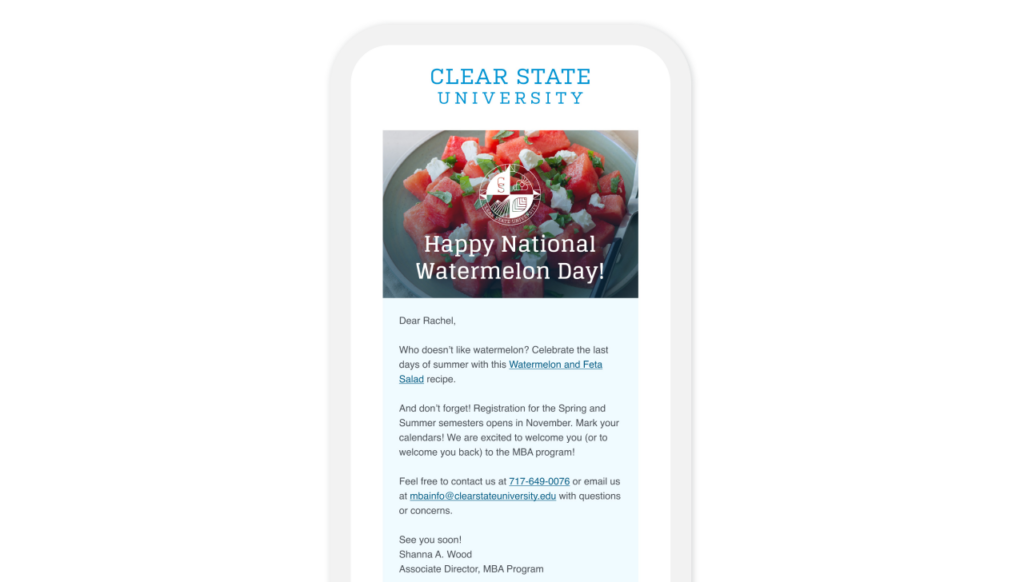
One of my favorite “Accepted, Not Enrolled (registration not open)” series I did incorporated all three of the things mentioned in the headline. We used a video clip to celebrate National ‘I Love Lucy’ day in October. Actually, we included a screenshot and link to one clip in the mail, along with a link to 10 classic I Love Lucy moments. Oh, and we let people know that registration opened in early November.
Did you know that World Juggling Day falls in June each year? We honored our students who were “juggling” school, work, and family—and also provided a screenshot and link to a video on how to juggle balls. This was also an early reminder about registration beginning in November. And watermelon? We actually provided a link to a watermelon and feta salad in honor of National Watermelon Day in August. Once again, we reminded them that registration opens in November.
As an added bonus, by sending emails that had a reminder but also provided value—in the form of a smile, a laugh, a fun new skill or a delicious seasonal recipe—we are giving them reasons to open our email messages in the future.
Middle of funnel
Accepted / not accepted
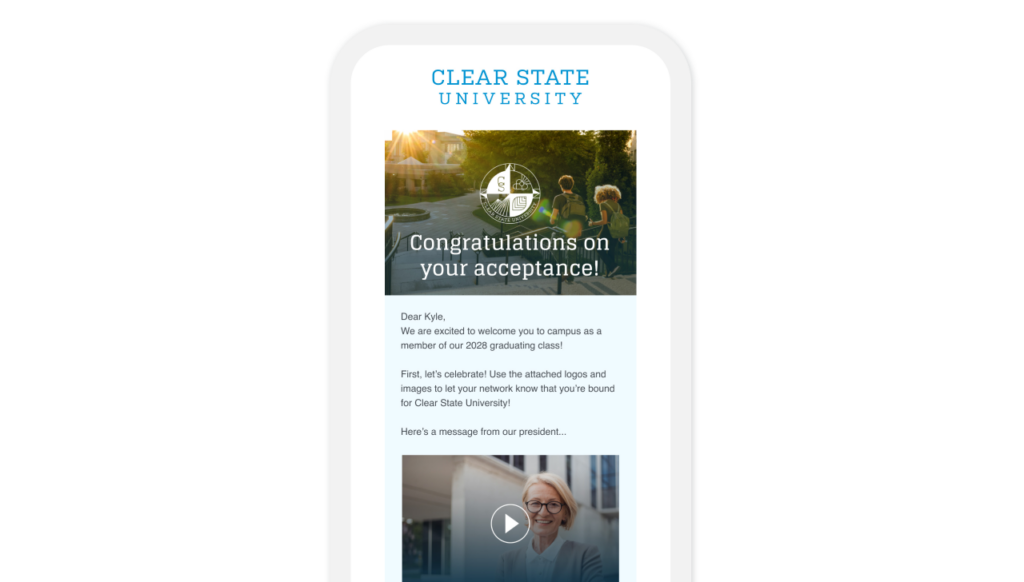
Sure, you need to let them know whether or not they made the cut. But there’s so much more you can say and do with an “Accepted/not accepted” campaign. This is the time to woo those you want in your incoming class.
Key subscriber journey: Accepted / not accepted

Basic email journeys
We all remember what it was like waiting to hear which schools accepted your application. It’s important to keep this in mind as you’re creating your accepted / not accepted campaigns. If you’re of a certain age, you remember that the envelope was thick if you got accepted, thin if you didn’t. But now it’s all electronic.
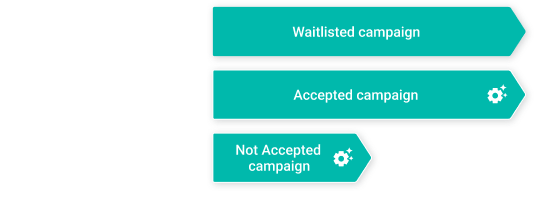
The key here is spending as much time—or more—on your waitlisted and not-accepted folks as you do on those who are accepted. Because even though they aren’t necessarily joining you for next semester, you still want them to think fondly of your school. There’s still a relationship here, and you want it to continue or at least to end well.
Welcome your plan B team (waitlisted)
They aren’t yet accepted, but they may be—if some of your accepted candidates choose other schools, then some of these people will be invited to join your incoming class. And if they are, you want them to say yes. Which is why you should think of this as a nurture campaign. And you should think of these students more like the group that was accepted than those
whose applications were declined.
So what are the parameters of a nurture campaign? Naturally, you want to keep them apprised of their status. But there’s more. You want to get them excited about the opportunity to enroll. This involves regular communication (weekly or twice a month). I recommend that my clients use their ‘accepted’ journey as a starting point, then tweak to keep the excitement but come at it from a ‘waitlisted’ frame of mind.
Celebrate (accepted)
We talked earlier about those thick envelopes… but in reality, there’s time for all that.
This initial ‘accepted’ campaign should celebrate the moment—and give your students the chance to celebrate the moment—before you launch into paperwork and details. Obviously, you want to congratulate them.
Other nice touches
- Can you include video welcomes from faculty?
- How about a package of images, logos, hashtags, etc. for use on social media…
You’ve accepted them into your school—but your work isn’t done. Now it’s time to turn them into a superfan. By the way, this doesn’t have to be just one email. If you have the content, make it a series and keep the party going for a few days, a week, or two weeks!
Get down to business (accepted)
This is where we cover paperwork and details. Ideally, this series will start a week or three after your acceptance series.
You know the drill on these…
Include to-do lists—with dates—and send these “overview” emails periodically, preferably customized with what’s been completed and what remains outstanding. In addition, you’ll want to send stand-alone emails (a series of 2 or 3) before each key milestone. You can suppress future sends on a milestone once a student completes it.
While you’re covering the business of admission don’t forget to add in some content to keep the excitement going. This is the start of their college career, and the start of a relationship that your school hopes will extend past their 4 years on campus through many reunions and seasons of giving.
Tip: Don’t send an email to do a website’s job
One of the schools I worked with a few years ago had this extremely long “you’re accepted” email. All the information you needed was right there—there were no links to go elsewhere. The feeling was that this one-stop-shop was easy for students. It wasn’t. It was overwhelming for students. And it was difficult to find the specific content they were looking for, with no table of contents.
The first thing we did was talk to the administration about getting a microsite to hold this content. We would have preferred to be part of the main site, but the timeline for that, based on other IT projects, was too far out. So we did a workaround. We created a microsite and then we had a series of emails. The first and last had the full list of admissions items in bullet points, very short—with links to visit the microsite to learn more. Then each key area had its own email, where we pulled in more detail, but still let people click through to the website for the minutia.
Middle of funnel
Application incomplete
So close… but not quite. An effective “application incomplete” email journey does more than just let students know what’s missing. And don’t wait until the deadline is just around the corner to send it.
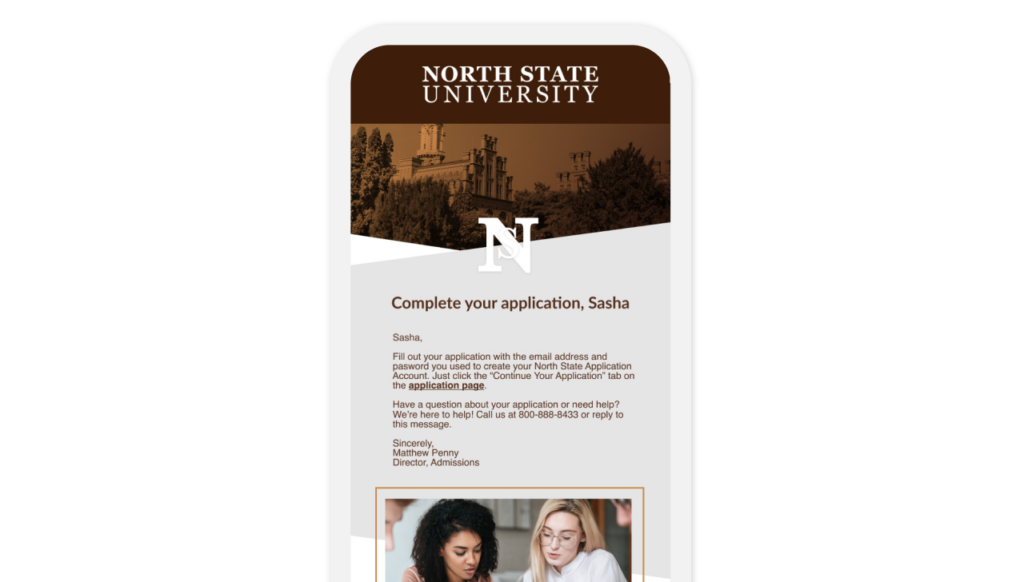
They were interested enough to start the application. But then… something happened. Now you need to bring them back to finish.
Key subscriber journey: Application incomplete

Basic email journeys

This sounds simple, but as anyone who’s developed an application incomplete campaign knows, it’s more complicated than it sounds.
You don’t just want to ask them to complete the application. You want to personalize the email with exactly what’s missing, and give them resources to help them complete it.
This is one of those places where one-to-one communication not only makes sense, it’s almost required for effectiveness.
Customize with first-party data
The beauty of campaigns like this is that you have a large amount of first-party data you can use to customize and/or personalize the message. For instance…
- Their area of study or major. It may not be final, but knowing this allows you to talk about meeting this specific goal. Talk about motivation.
- When they want to start classes. This could give you the gift of urgency, since you’ll know when the application deadlines are and can leverage those in your messaging.
- Preferences. Online or in-person, full- or part-time, you probably captured this at the start of the application. Be sure to acknowledge this is your messaging to add relevance.
- What’s missing. This is very important. What, exactly, is needed from them to complete the application? Be sure to say, and provide resources to help them get the information they need.

Browse reminders are your friends
Browse reminders are common journeys in retail, and they should be a common journey in your application process too. If you think about it, they are very much alike.
- Do acknowledge work they’ve done on their application, within 24 hours of their doing it.
- Do be clear about what remains outstanding in their application.
- Do offer resources and assistance in completing their application. Phone and email are good options, along with the ability to schedule a time to talk with an admissions person.
- Don’t be creepy. Don’t mention that you saw they were working on the application.
Dynamic content is tailor-made for this
You could create email messages for each item that could be missing or incomplete in the application. …Or you could use dynamic content.
(Use dynamic content.)
Craft standard paragraphs for each element that could be missing or incomplete in the application. Be sure to explain in detail what’s needed (there may be a few different versions for each element), provide resources to help them complete it, as well as relevant deadlines.
Using dynamic content will allow you to pull in a customized list of what’s missing for each student, along with details on each. If there’s a long list for some students, have a way to break it into manageable chunks and make it a series of emails, rather than one big email with everything that’s missing.
Tip: Integration is key for success.
Many of the schools I work with don’t have the integrations in place to pull first-party data from the application into the email program. This is an unnecessary hindrance. 15 years ago, sure, it was difficult. But now? It’s really not.
The value of personalizing with first-party data is huge—much larger than the cost of putting integrations in place to make it happen. If your school is facing this issue, put together a persuasive plan to make integration happen. There are tons of case studies and articles supporting the fact that personalization with first-party data usually boosts performance.
Work with your IT team to get a customer data platform in place to hold all your data, and make it available to all the platforms that need it. Including your email or marketing automation platform.
Top of funnel
Inquired, hasn’t applied
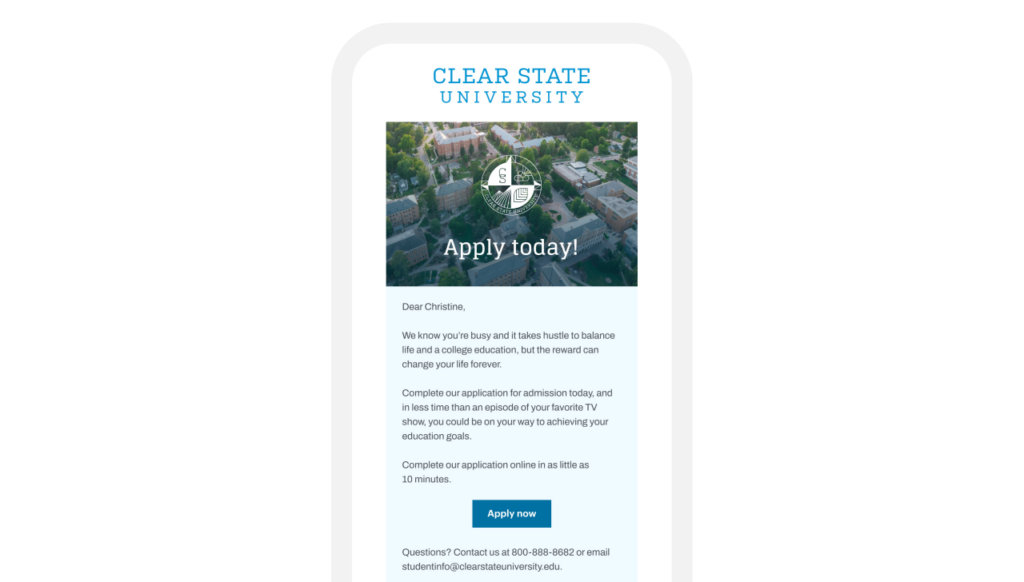
They’re interested, now they need to take the next step. Use an “Inquired, Hasn’t Applied” campaign to entice them to move forward with their application. Did we mention that this doesn’t (shouldn’t) just be delivered via the email channel?
Key subscriber journey: Inquired, hasn’t applied

Basic email journey

They’re interested. Now it’s up to you to bring them back to apply. This is truly a top-of-the-funnel exercise, to motivate those who expressed interest to come back and commit to completing the application.
These emails are selling a dream, but they also need to provide practical steps to get there.
Address frequently asked questions
What questions or obstacles, real or imagined, are keeping people from applying for admission? This is where to start with your message map, to figure out what the frequently asked questions are and what answers you can provide.
Some examples:
- Can I afford it? Providing tuition planning resources is a good starting point to overcome this.
- Do I have time on top of work/family? Flexible options like online courses, night and weekend courses, and asynchronous courses can help address this objection.
- Will it be a good investment? Career guidance resources, average starting salaries, and other resources can put your prospect’s mind at ease.
What else could be holding them back? If you can identify and effectively address it, that will increase your conversion rate from inquiries to applications.
Think outside the [email] box
We all love email marketing, but email isn’t the only channel out there. This is a time when adding in some SMS/Text efforts can improve your response rate. Use SMS/text…
- As a timely follow-up. Confirm what was browsed or discussed following a web visit or a phone conversation.
- For quick response answers. If it’s a short answer question (‘what’s your birth date?), a ‘yes or no question, or a multiple choice question where you can provide all the answers, all the better.
- For brief, urgent reminders. If there’s a deadline in the next couple of days, or if there’s something you need from them ASAP, SMS/Text will be a much better channel to use.
Be sure that you can accept replies via SMS/text—it’s got to be two-way communication to be effective. And always include a note about how to unsubscribe.
Remind them who you are and what you do
Of course you know who you are and why you are contacting your recipients. But do they know? Yours may not be the only school they inquired about. Help them, and help your program, by always putting your message in context. The easiest way to do this is to include a brief, benefit-oriented paragraph that appears in every email message. This should include:
- Your school and/or program name
- A benefit-oriented description of your school and/or program
- How to contact you (web, phone, and email)
- Anything else that will remind recipients who you are and motivate them to take the action you’re asking of them
I usually include this at the bottom of every email, just above the footer, and put it in a shaded cell to set it apart from the rest of the message.
Tip: Put yourself in your recipients shoes—and their frame of mind.
As marketers, we need to be clear and persuasive communicators. In order to do this, you need to understand who your audience is. And that means more than just that they are people looking to attend your school.
I always try to speak with people from my target audience as I begin working on a project. Even though I was a high school student applying to college, that was a long time ago. I probably don’t remember it as well as I think I do. And times have changed. Today’s students probably have different interests, different concerns, and different circumstances than I had.
Even if you do this for a living, I would strongly recommend you do target audience interviews every year. This way you can be on top of trends and, if you update your copy and messaging with what you learn, you have a better chance of staying relevant and being effective for the long term.
All phases of the funnel
Events
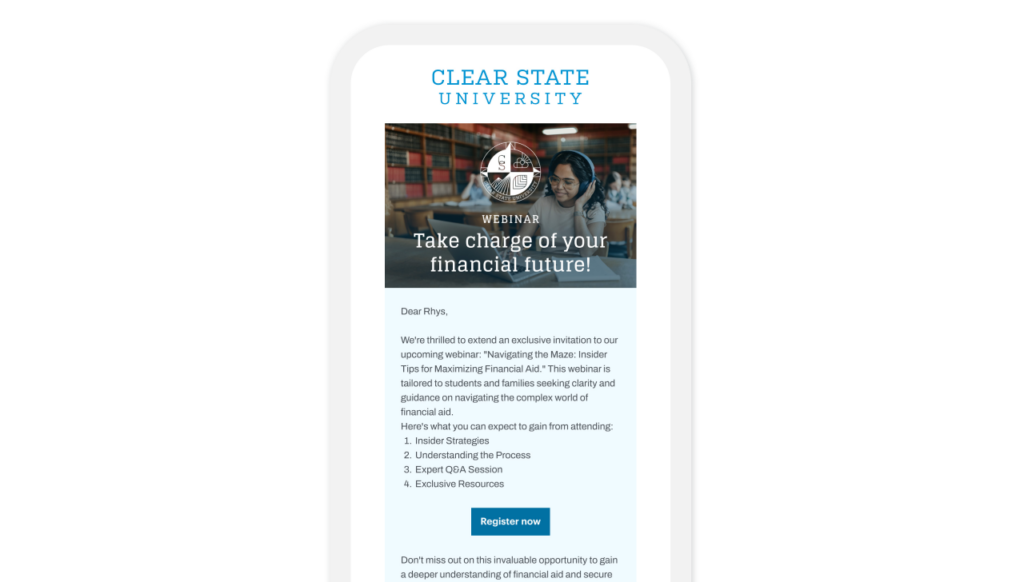
If you’re not hosting online and/or offline events for students, you’re missing out. It’s a great way to move them from interest to application to enrollment. Just be sure you have an effective “Event” campaign program to drive maximum registration, attendance, and post-event action.
Your recipients will need to learn about the event and be motivated to then register to attend. Once they are registered, we hope they will attend.
Key milestones in the journey are:
- Registering for the event
- Attending the event
Since this is a multi-step process, we have created multiple email journeys to move the subscriber through the process.
Key subscriber journey: Events

Basic email journey

As you see in the diagram above, there are journeys related to each of the milestones:
Registering for the event
- Register for Event Email Series
- Thanks for Registering Email
Attending the event
- Event Reminder Email
- Event Follow-up Email
Host events for every stage of the funnel
Events can be a make or break at every stage of the higher ed funnel. Think in terms of what questions students have at each step of the funnel, and plan events to address them. For instance:
- For prospects, you might have a general webinar where they can learn more about your school and/or program.
- For inquiries, offering an online session on the basics of completing an application can be very helpful.
- For applicants who may have issues with financial aid, offering an online event to discuss options and take questions can help them feel more confident in their ability to pay tuition.
Think of what other questions applicants may have and what type of event would be best to address them. Could you just do these events once and then offer them on-demand? Of course you could. But why would you forgo the opportunity to meet personally (okay, virtually) with students and address their specific questions?
Live events are more work than on-demand videos—but they are well worth it. And once you have a template, the journeys aren’t difficult to set up.
Always invite people to a future event in your thank you email
Don’t dead-end people. You should always send a thank you to those who registered for an event.
Obviously, you want to include a link to view the event on demand if they missed it or want to review the content. But you should also invite them to your next event in this email. You’ve got their attention—these thank-you emails tend to have good open and click rates, especially with those who missed the live event. Take the opportunity to give them another chance to interface with your team. Events build relationships.
Be sure that you can accept replies via SMS/text—it’s got to be two-way communication to be effective. And always include a note about how to unsubscribe.
Track the performance of your events
You’re not done with the event when you close your webinar software window or even when you send the ‘thank you for registering’ email with the link to view it on-demand. The event isn’t about the event; it’s about the impact the event has on the application process.
Your reporting should include:
- How many people attended?
- What percentage of those who registered joined live?
- What percentage of those who registered watched it on-demand?
In the past, a 50% show rate for a live webinar was considered good; that rate is falling, to the point where a 33% show rate is now considered good.
How does live attendance or on-demand viewing impact bottom-line performance? Does it move the needle on applications? How about enrollment? Does certain content move the needle more than other content?
What else are you hoping to gain from your events? Do they have a positive impact that’s worth the time, effort, and resources they require?
Tip: Event content matters
As an email marketer, you may not have a say in the content of the events your school hosts. But maybe you do, or maybe you know the person who does.
I’ve helped a few schools revamp their admissions webinars to make them more engaging, and we’ve had some success. With the new content, people who attend these events are more likely to take the next step, whether it’s to apply, enroll, or something else.
One easy add to increase engagement? Invite a current student or an alumnus. In the business world, testimonials mean a lot. When you have a student or a former student there talking about your program, it’s a de facto testimonial.
The students come across as more authentic, because they are. And if you choose students who are enthusiastic but also present well, it can be a real plus for your webinar or event. So if you aren’t using students or alumni to help you with your admissions events, now’s the time.

Jeanne is the Founder and CEO of Email Optimization Shop, a consultancy focused on optimizing bottom-line email marketing performance with strategic testing. She is also General Manager of the Only Influencers community of email industry professionals, Chair of the Email Innovations World conference, and an Adjunct Professor in the Master of Integrated Marketing program at the Georgetown University School of Continuing Studies.
Her direct response approach has helped B2B, B2C, government, non-profit and other clients including AARP, Capital One, Hasbro, National Education Association, New York Times, Scholastic, UPS, U.S. General Services Administration, Verizon, and the World Bank.
Jeanne earned her MBA from Georgetown University (Hoya Saxa!), and she is an avid hockey fan (Let’s Go Caps!).
Learn more, read Jeanne’s blog and opt-in to the Email Optimization Shop email newsletter at https://emailopshop.com.
