

Remember when your email program was simpler? A few templates, a manageable list, and campaigns that launched without much fuss. Then things grew. More templates appeared. More stakeholders got involved. Workflows started overlapping. Without regular check-ins, these small additions can pile up and make everything feel more complicated than it needs to be.
That’s where a good spring-cleaning session comes in, no matter the season. Using this approach, you can clear out what’s no longer working, tighten up your systems, and get your email program running smoothly again.
What is a strategic email audit?
An email marketing audit is a review of your program’s strategy, operations, and results. It helps you answer questions like, “Is this still working for us?” and “Where can we improve?”
Unlike a platform-specific review, like a Klaviyo audit or a Mailchimp audit, a strategic email audit looks at your entire setup. You’ll check:
- How well your program structure matches your organization’s current goals
- How efficiently your team can execute campaigns
- Whether your results are worth the effort you’re putting in
- How reliable your data is when you need to make decisions
If you’re managing distributed teams or multiple brands, this type of email program audit can be especially helpful. Yes, complexity can feel overwhelming—but it also means there’s real opportunity to make things better. Small improvements can make a big difference across every team, campaign, and metric.
Signs your email program needs an audit
If any of these sound familiar, it might be time for a refresh:
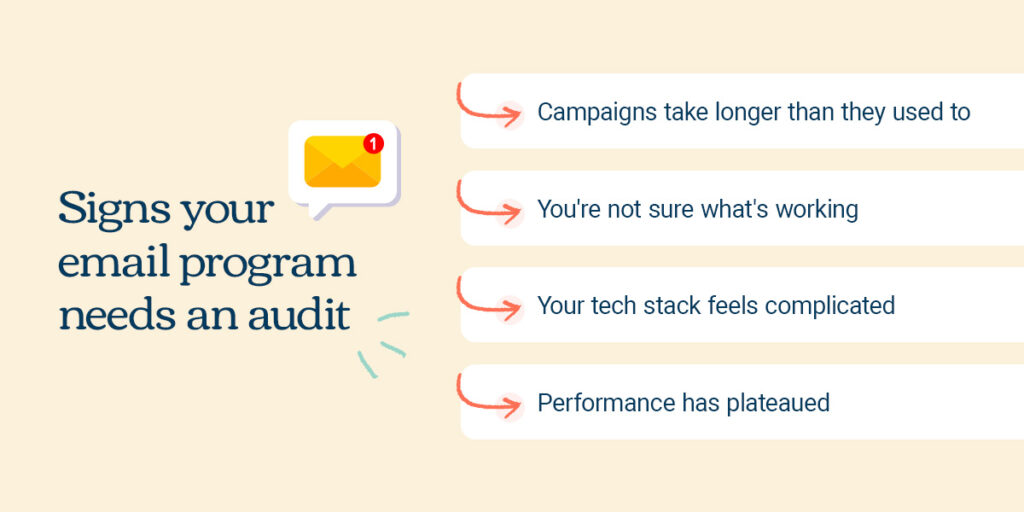
- Campaigns take longer than they used to: What once launched in days now takes weeks of coordination, approvals, and revisions. You’re not sure where all the extra steps came from.
- You’re not sure what’s working: Your reporting lives in different places. Different people ask for different metrics. It’s tough to get a clear picture of what’s actually performing well.
- Your tech stack feels complicated: The integrations that were supposed to make life easier now need constant troubleshooting. Your team spends more time managing marketing tools than actually using them.
- Performance has plateaued: Even with your team’s best efforts, engagement metrics haven’t budged—or they’ve dropped. Something feels off, but you’re not sure what.
Here’s the thing: these aren’t signs of failure. They’re signs your program has grown. Email marketing revenue is expected to nearly quadruple from $6.13 billion in 2024 to $24.19 billion by 2033, so keeping your program running well matters. And when things get messy, there’s a real cost. According to Gartner, poor data quality alone costs organizations on average at least $12.9 million annually.
An email program audit helps you spot issues early and keep things running smoothly.
Spring cleaning framework for distributed teams
The Declutter, Reorganize, Reset framework is a practical approach built for organizations managing multiple departments, brands, or senders. It helps you balance staying consistent with getting work done.
Here’s how it works:
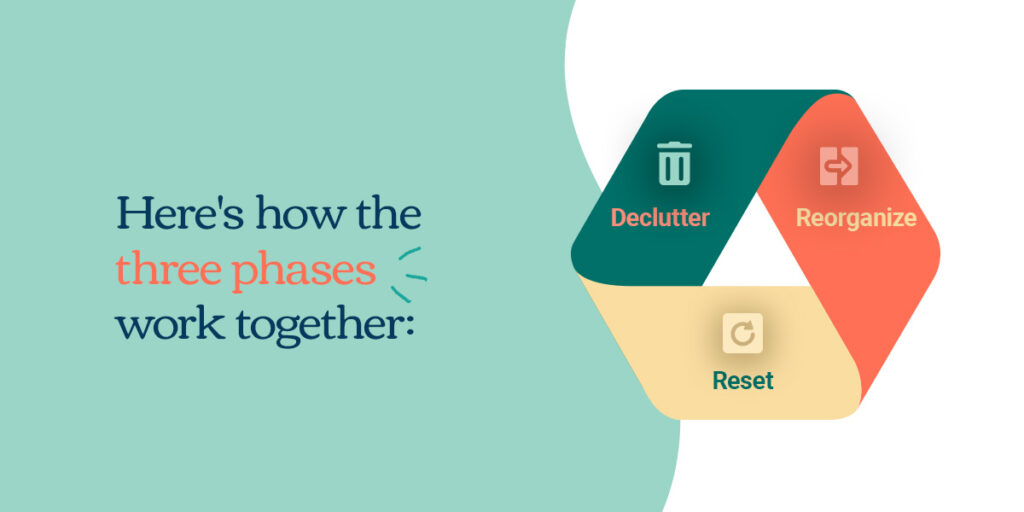
- Declutter: Get rid of what’s outdated, ineffective, or slowing you down.
- Reorganize: Set up systems that can grow with you.
- Reset: Establish new benchmarks and routines to keep your email program healthy.
This framework works especially well for distributed email marketing, where coordination makes all the difference. Work through each phase step by step, and you can get distributed teams aligned around a more effective email communication strategy.
Phase 1: Declutter what no longer serves you
Start by clearing out the clutter. Before you can build better email workflows or set new goals, you need to remove what’s getting in the way.
List health and data quality
Your contact list is your foundation. Over time, lists naturally degrade. Subscribers go quiet. Old addresses stick around. Duplicates show up across different systems. All of this hurts email deliverability, drives up costs, and makes your data harder to trust.
A good email list audit includes:
- Finding contacts who haven’t engaged in six months or more and trying a re-engagement campaign before removing them
- Removing generic addresses that rarely represent real people, like [email protected]—especially when they have low engagement or unclear consent
- Merging duplicate records across departments or systems
- Writing down your list cleanup rules so everyone follows the same process
When multiple teams send emails, staying coordinated on list hygiene matters. If one department removes a contact while another keeps emailing them, you’re hurting your deliverability and creating a frustrating experience for recipients. Set shared standards for list management and clean up regularly—quarterly at minimum, monthly if you send a lot of emails.
Outdated templates and creative assets
Too many templates can slow you down. Every template you keep is another choice your team has to make. The more options sitting in your library, the longer it takes to launch campaigns and keep a consistent sending rhythm.
Go through your email marketing template audit by checking every asset. Flag anything that mentions outdated products, services, or old branding. Find templates that were built for one campaign and never archived. Look for designs that don’t meet your current standards for accessibility, mobile, or visual clarity.
Then build a curated set of templates that cover your most common needs. If you have distributed teams, set some expectations around who can create new templates, how they get approved, and when old ones get retired. This cuts down on decision-making and helps every email look and feel like it’s from your organization.
Unnecessary sends and campaigns
Not every campaign needs to keep going. Maybe there’s a monthly newsletter someone started years ago, an automated series that made sense at the time, or a promotional schedule left over from a previous team member.
For each regular send, ask:
- Does this support a current goal?
- Are we reaching the right people?
- Does this match our priorities right now?
- Is the performance worth the time it takes to keep this going?
If the answers don’t line up, consider stopping those sends. When you work with multiple stakeholders, you may need to walk them through your thinking. Share the data, explain your reasoning, and show how cutting low-value sends makes room for work that matters more.
Phase 2: Reorganize your structure and systems
Once the clutter is gone, it’s time to build systems that can grow with you.
List architecture and segmentation strategy
As your program grows, clear naming and logical structure become more important. When multiple team members need to find the right segment or list, things should be easy to locate. If only one or two people understand your naming system, you’ll have problems when they’re out on vacation or change jobs.
Start by looking at your current list and segment names. Do they follow a pattern? Would a new team member know what “Q4_2023_Final_UPDATED” means? Set up a naming convention that includes:
- Audience type
- Purpose
- Date created
- Which department owns it
Then look at your segments. Do you have multiple segments that are 90% the same? Can you consolidate without losing what you need? If you manage email governance across departments, write down which segments are shared and which belong to specific teams. This prevents confusion and helps everyone use your lists the right way.
Campaign operations and approval workflows
Map out how campaigns move from idea to inbox. Document every step:
- Who writes the copy
- Who designs it
- Who approves it
- Who schedules it
Then find the bottlenecks. Where do things get stuck? Which approval steps really add value, and which are just leftovers from how things used to work?
Clarify who owns each step and who makes the final call. This matters especially when you’re trying to stay consistent while also getting campaigns out the door. Approval dashboards and clear workflows help you keep quality high without creating frustrating delays. The goal is getting the right people to review the right things at the right time.
Reporting and analytics setup
When everyone asks for reports in different formats, you end up spending more time pulling numbers than actually using them. If your reporting happens whenever someone asks for it, it’s hard to stay consistent or spot patterns. Set up one reporting dashboard that works for multiple stakeholders. Decide what to track at the program level—things like overall list health, deliverability, and revenue—versus campaign-level metrics like open rates, clicks, and conversions. Get everyone on the same page about what success looks like so you’re all measuring the same way.

An integrated tech stack makes this easier. When your email platform connects with your CRM, analytics, and other tools, you can see the full picture of what’s happening with your customers.
Phase 3: Reset your benchmarks and habits
The final phase is about setting new standards and routines that keep your program healthy.
Performance benchmarks
Your old benchmarks might not fit anymore. Industry standards change, your list changes, and your program evolves. Comparing today’s performance to what worked three years ago might not tell you much.
After your cleanup, set new baselines. What are your open, click, and conversion rates now that you’ve cleaned up your list and streamlined your sends? Set realistic, team-specific goals based on your actual audience. If you have different teams or business units, each one might need its own benchmarks that reflect who they’re emailing.
Brand voice and messaging
Your email voice can drift over time, especially when multiple people write campaigns. Pull up a sample of your recent emails and check:
- Do they sound like they’re from the same organization?
- Does the tone match your brand?
- Has your messaging gotten stale or repetitive?
Take a fresh look at your tone, and how you show up in inboxes. Write down what makes your voice distinct and create simple guidelines that help distributed teams stay consistent while still sounding natural for their specific audiences.
Team collaboration
How your team works together directly affects how well your program runs. Set some ground rules about who makes decisions, what quality looks like, and how you’ll coordinate. Who gets final say on when emails go out? What checks happen before every send? How do you handle it when multiple departments want to email the same subscribers the same week?
Build in regular check-ins:
- Monthly reviews to look at performance
- Quarterly email program audits to catch small issues before they grow
- Annual deep cleans to rethink your strategy
This rhythm keeps your program from getting cluttered again and helps your team stay on the same page.
Making sure your email audit sticks
A few best practices to help your audit create real, lasting change:
- Start with one thing: You don’t need to fix everything at once. Pick the phase that will make the biggest difference right now and build from there.
- Get your team involved early: Bring stakeholders into the process so they understand why you’re making changes and feel invested in the results. When people help spot the problems, they’re more likely to support the solutions.
- Write it down: Create an email marketing audit checklist or simple template that captures your new naming conventions, workflows, and team agreements. This helps new people get up to speed quickly and keeps everyone aligned.
- Make it routine: Quarterly check-ins catch small things early. Annual deep cleans help your program grow with your organization. Treat email maintenance like any other important system.
- Celebrate your wins: Track how your changes improve campaign speed, team satisfaction, and program performance. Share these wins to show the value of regular maintenance and build support for keeping it going.
Build a healthier email program with Emma

A clean, effective email program is totally achievable with the right tools and approach. If your email marketing audit reveals opportunities to streamline your work, stay more consistent, or help distributed teams work together better, Emma can help.
Emma’s email platform is built for organizations managing complex email programs. Our tools give you control over your brand without slowing your teams down. Approval dashboards make it easy to coordinate campaigns across departments while keeping quality high. And our analytics give you clear, consistent reporting so you can see what’s working and make smart decisions.
Whether you’re managing multiple brands, coordinating across regions, or just looking to add more structure to your email marketing, Emma helps you stay in control.
See how much smoother distributed email marketing can be with the right foundation →