
A prospective student fills out an interest form on your website. The information lands in your customer relationship management (CRM) system within seconds, tagged and ready to go. Three days later, she’s still waiting to hear back. Or she hears from two departments the same afternoon, each with a different next step.
Your CRM knows exactly what’s happening. Your email and SMS platform doesn’t. That gap is behind much of the timing lag, duplicate messaging, and manual list-building that shape higher ed email marketing for enrollment and advancement teams. Connect those two systems, though, and the right message goes out automatically when it’s needed.
When your CRM and communication platform aren’t talking to each other
Disconnected systems affect every industry, but the problem hits especially hard on a campus running separate tools for admissions, advancement, and individual academic colleges. Admissions holds one view of a student, while advancement holds another.
Siloed data is the No. 1 barrier to making better use of institutional data, cited by 51% of respondents in a survey, and only 1% of institutions consider their data systems fully modernized. If your higher ed email marketing efforts already depend on manually built lists, you’re probably seeing that gap play out.
What gets lost when systems are disconnected
Someone exports a list from the CRM and uploads it to the email platform, but by the time the message goes out, the data is already hours or days old. A student who submitted an application this morning might still be sitting on the “hasn’t applied yet” list, while a donor who just made a gift is scheduled to receive a generic solicitation because the record hasn’t synced yet.
That gap tends to show up in the same four places:
- Manual export and import delays: Someone has to remember to pull a fresh list, upload it, and send it before the data goes stale again.
- Duplicate or conflicting records: Departments work from different exports, so the same record can look different depending on who’s looking.
- Missed timing on status changes: An application submission or a deposit payment is the kind of moment that deserves an instant message, but only if the email platform receives that update.
- Manual list-building as the default: Instead of live, CRM-driven segments, someone rebuilds a list from scratch before every send.
What CRM-to-email and SMS integration unlocks
When your CRM for higher education institutions and your email and SMS platform are sharing data in real time, most of those friction points start to resolve on their own. Here’s what that looks like:
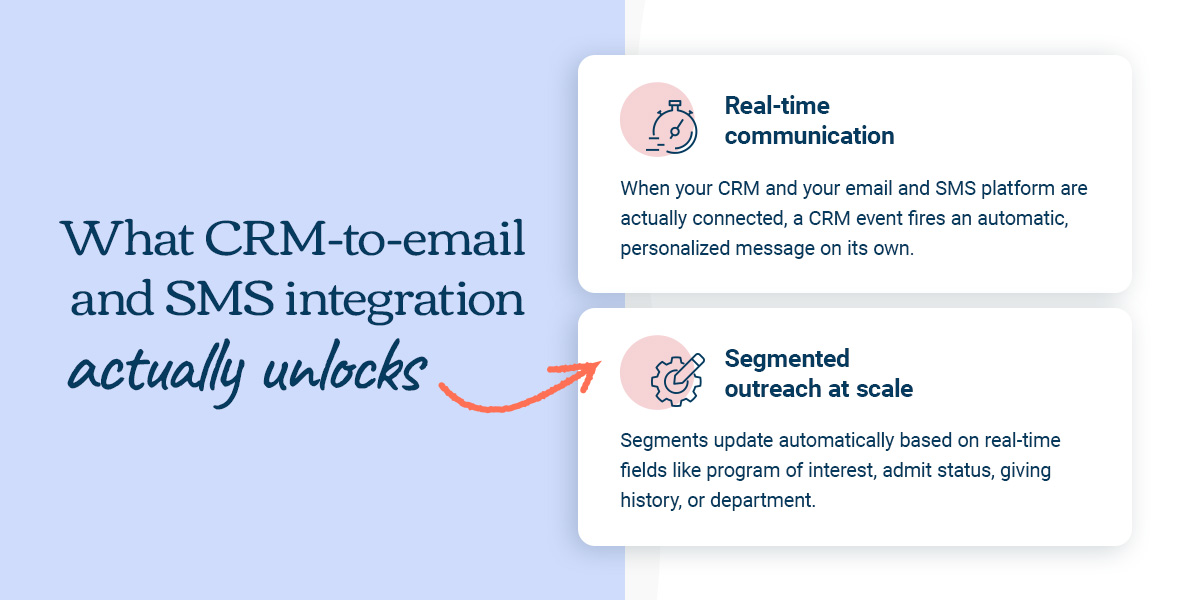
Real-time communication
When your CRM and your email and SMS platform are connected, a CRM event fires an automatic, personalized message on its own. A confirmation email the moment a student applies, a missing-document reminder after a set number of days, or an event RSVP follow-up right after a prospect registers for a campus visit.
Compare that to a manual workflow, where someone checks the CRM weekly, builds a suppression list by hand, and exports contacts before every send. When the systems are connected, messages triggered by CRM activity go out at exactly the right moment—no manual queue needed.
Segmented outreach at scale
Live CRM data also changes what segmentation means. Instead of static list tags someone built last semester, segments update automatically based on real-time fields like program of interest, admit status, giving history, or department. That’s not just “Hi [First Name]” personalization. It’s referencing a student’s program, their exact stage in the application process, or whether they attended a campus event before—all pulled from information that’s already sitting in the CRM.
The same connection also rolls every interaction, from email opens to gifts made, into one record instead of three separate ones. An advisor or advancement officer can see a person’s full history before reaching out, rather than guessing what another office may have already said. Or asking for a gift from someone who gave two weeks ago.
For enrollment teams: powering the admissions funnel
For enrollment teams, that connection shows up in the admissions funnel, and it’s a big part of what makes email marketing for higher education feel coordinated instead of scattered. When a student’s CRM status shifts from inquiry to applicant to admitted, their email and SMS sequences update automatically to match. The next campaign is picked up the moment the status changes.
SMS handles the time-critical moments—deadline reminders, missing-document nudges, day-of logistics—while email carries the fuller context. When SMS and email share data, they work together instead of in parallel.
Program interest, location, and engagement history live in the CRM, so a counselor’s outreach can reflect exactly where a student stands, drawing straight from data that’s already there.
For advancement teams: keeping alumni and donor communication in sync
Advancement teams face a similar coordination problem, but with donors and alumni rather than prospective students. A unified record keeps both offices working from the same picture, so a donor who is mid-conversation with the major gifts team gets outreach that reflects that conversation, rather than a generic annual fund ask from a different office.
Both offices pull from the same live data instead of last week’s export, and when a gift is logged in the CRM, a personalized thank-you fires away instead of waiting for the next scheduled batch send days later.
Segments based on giving history, class year, or engagement level update automatically as the CRM data changes. That’s exactly the coordination university email marketing needs across departments, and it’s achievable once everyone works from the same connected data.
What this looks like with a native CRM integration
The good news is that this is a solvable problem—and the fix usually comes down to one question. What kind of integration is behind it?
Native integration vs. a third-party connector
The job of a CRM for educational institutions is to store and organize your data. Your email platform’s job is to make that data work in the moment. This is where the type of integration really matters. A native CRM integration keeps your CRM and email platform working from the same live data, with HubSpot and Microsoft Dynamics 365 as common higher ed examples. Changes in the CRM show up in the email platform right away.
Whether your institution runs on Salesforce, a CRM many higher education institutions rely on, or another platform entirely, the same question is worth asking. Does the platform connect natively, or through a third-party workaround? A third-party connector like Zapier, by contrast, moves data trigger-by-trigger and works well for a single, isolated workflow. A native connection is the better fit for keeping two platforms continuously in sync.
Neither option is wrong—they just solve different problems. A native connection also makes department-level sub-accounts possible. Admissions, advancement, and individual colleges can each work from their own templates and schedules while pulling from the same synced data. That’s what closes the gap between departments.
What to ask your marketing platform about CRM integration
Before you commit to an email marketing platform or evaluate a CRM for higher education institutions from scratch, these questions are worth answering:
- Does the platform offer a native connection to your specific CRM, or only a third-party workaround?
- Can department-level sub-accounts all draw from the same synced CRM data, rather than separate exports?
- What triggers are available out of the box, versus what needs custom setup?
- Is SMS a genuinely integrated channel, or a bolted-on add-on with its own separate data?
See what’s possible with Emma
Your CRM and communication platform are meant to work together, not in separate worlds. When they’re connected, the emails and texts your students and donors receive start to feel like they came from the same institution, because they did.
Curious what that looks like for your institution? Take a closer look at Emma’s native CRM integrations and see what email marketing for higher education looks like when it runs on its own.