
You’ve developed brand standards, codified them in an identity guide, and sent them to every location with instructions for implementing them across the board. But when you review the emails sent from different branches, you still see inconsistencies. One location used an outdated version of your logo, while another chose a clashing color palette that looks unprofessional.
It’s not that your teams don’t care about staying on brand, rather that you and your teams lack an easy way to ensure brand consistency across locations. Here’s what to document, how to build standards into your workflows, and which tools make it stick.
Why brand consistency is harder than it looks at scale
Whether you manage a franchise with a dozen locations or coordinate communication strategy across university departments, you know each group has different priorities and urgent deadlines. If you don’t keep your logo, copy, and visual standards consistent across these locations, they’ll use whatever assets they can find that look “close enough.”
Usually, the discrepancies start small and add up, diluting your messaging until email recipients are unsure whether or not it’s actually your organization that’s contacting them.
What to standardize in your email marketing
Before choosing a standardization tool you can roll out across the board, you must define what “on brand” means for your multilocation email marketing. Here are some easy ways to establish your brand’s guidelines:
Brand style guide
A brand style guide for email should include logo usage rules like size, placement, and approved variations. Add your color palette with hex codes, approved imagery types, and specific examples of what not to do. Make sure that it’s easily accessible for a quick reference, as the guide only works if it’s accessible to every team, not buried in a shared drive.
A style guide tool lets parent accounts set brand colors, font preferences, and text styles once, then assign them to subaccounts so every team works from the same foundation.
Brand voice and tone
Voice is the consistent personality behind your emails, whether that’s friendly and casual or authoritative and formal, while tone is how your messaging shifts depending on the context. For example, a donor appeal should sound different from a newsletter, though both forms of communication must still be unmistakably yours. Mismatches here often make emails feel “off-brand,” even when the visuals are technically correct.
Document how you’d like locations to sound by selecting three to four traits like confident, informative, or persuasive, providing a do and don’t example for each, and adding a brief note on how to handle localization using local context while keeping the brand voice.
Typography and color
Typography remains a challenge for email marketers because not all fonts look the same across all email clients. A font that looks perfect in preview can default to Times New Roman in Outlook. Standardized, web-safe fonts such as Arial, Georgia, Verdana, Helvetica, and Tahoma are your safest choices.
A style guide tool lets the parent account set approved fonts and disable nonapproved options for subaccounts. Ensure you’re using standardized hex codes for your color palette, not just names, so every location uses the same values.
Image guidelines
Local teams that lack image guidelines may default to whatever’s available, even if that’s outdated graphics, unprofessional-looking screenshots, or stock photos that don’t match your other branding efforts. Guidelines should specify:
- Approved image sources
- File types and when to use each
- Sizing minimums
- What types of imagery are and aren’t on-brand
Keep the directions practical, like using lifestyle stock photos versus product-only, illustration versus photography, and whether your brand leans toward more professional or more relaxed in its visual choices.
How to make standards stick without slowing locations down
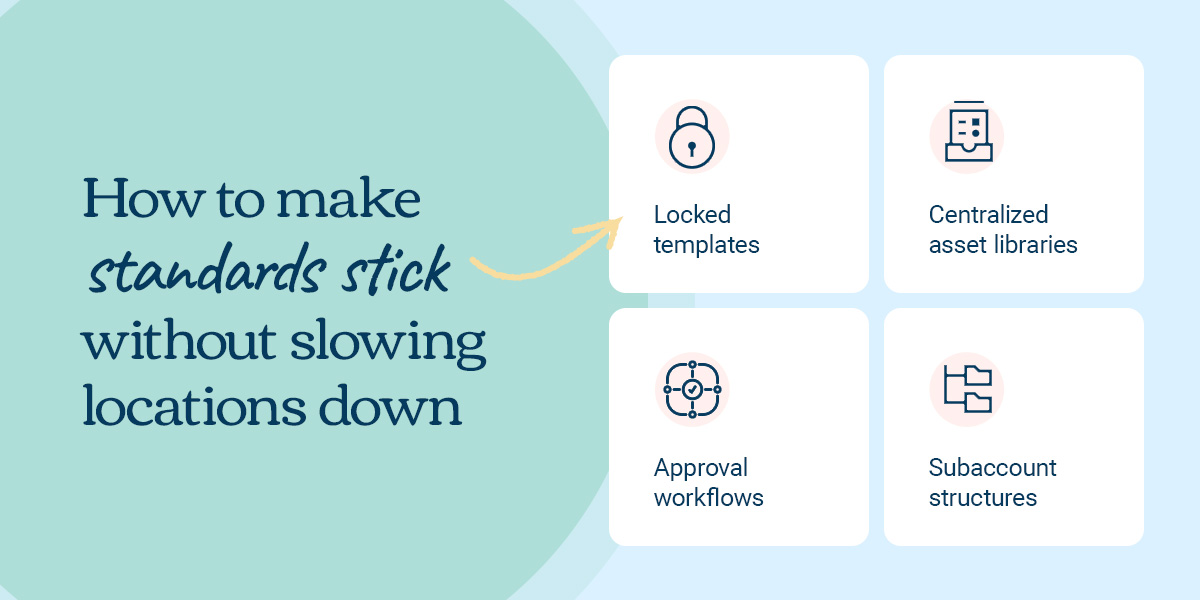
Documentation gets you halfway there, while the tools and structures below will transform your multilocation business’s brand standards from a written guide into real-world email campaigns.
- Locked templates: With locked templates, the parent account designs the structure and sets which sections are editable. Local teams can fill in the appropriate information, such as location-specific offers or event details, but they can’t touch the header, footer, brand colors, or logo. Email templates at multilocation franchises work best when they keep brand elements fixed and give teams flexibility on local content. That’s the practical middle ground between corporate micromanagement and local autonomy.
- Centralized asset libraries: The easiest way to stop teams from sending misbranded emails is to give every location access to the same library of approved images, logos, and copy blocks. Instead of hunting through old email threads or downloading low-res logos from your website, they choose from a repository of approved and updated content. A brand manager tool gives the parent account a central place to upload approved assets, then push them to subaccounts.
- Approval workflows: A built-in mailing approval system gives the parent account or headquarters visibility before anything goes out. Your goal is not to slow the process by adding extra steps, but to create a workflow that lets you catch issues at the draft stage when there’s still time to fix them.
- Subaccount structures: A tiered account structure lets corporate assign roles and permissions by team. So, a local manager can send within their lane, a regional director can approve across multiple locations, and the parent account has full visibility. Each team gets the access they need while headquarters stays in control.
Four Emma tools for keeping every location on brand
All of the capabilities discussed so far are possible through Emma’s email marketing platform. Here’s what that looks like in practice.
1. Template locking
The parent account designates which rows or blocks are off-limits, like brand header, logo, or color-coded footer, and which are editable, like body copy, local offers, and location-specific CTAs. Local teams start with a preapproved template and fill in relevant details. Emma’s template locking feature makes this straightforward to set up and manage.
2. Shared asset library
The Emma Brand Manager gives parent accounts a central place to upload approved images, copy, and campaign assets, then push them to subaccounts. Local teams only see content that they know is OK to use, eliminating version confusion.
3. User permissions and approvals
Emma’s tiered account structure gives franchise owners built-in tools to send relevant, locally tailored emails within a shared brand framework. The parent account controls who can create and send preapproved emails, with no separate workflow tool needed. Baby Boot Camp, an Emma customer and fitness franchise with nationwide locations, averages a 59% open rate across all its subaccounts by using this approach.
4. Activity dashboard
Thanks to a built-in dashboard, the parent account can see what goes out across all subaccounts in one view, such as which teams have sent messages, what the campaigns look like, and how well they perform. It’s also useful for highlighting what works well and sharing those examples across the network.
Make brand consistency the default
Enforcing brand consistency doesn’t mean becoming a micromanager. A well-crafted multilocation email marketing strategy starts with documented standards, ensuring every email you send builds the same trust.
After establishing a style guide that defines your voice and tone guidelines, typography rules, and image specs, build those rules into your system through locked templates, centralized assets, approval workflows, and tiered account structures that give each team the appropriate permissions.
Consistency will take care of itself when you introduce tools that make staying on brand easier than improvising.
See how Emma helps multilocation teams stay on brand
Managing brand standards in multilocation businesses doesn’t have to be an uphill battle. Use Emma’s tiered account structure, locked templates, and centralized asset library to keep every message consistent without making approvals feel harder.
Local teams have the flexibility to send campaigns that provide value to their audiences, while headquarters maintain visibility and control over what goes out. The result is email marketing that feels locally relevant and unmistakably yours, no matter which location sends it.
Ready to see how it works? Explore what Emma can do for distributed teams.